
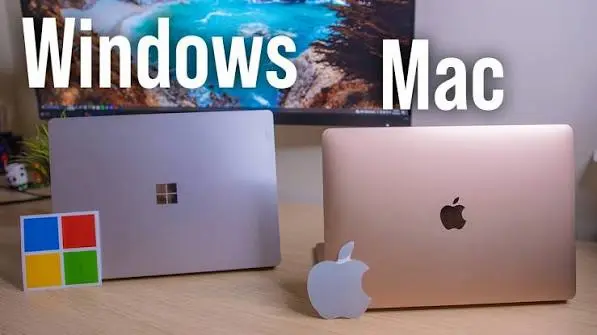

Choosing between a MacBook and a Windows laptop in Kenya is no longer simply a question of whether you prefer Apple or Microsoft.
A laptop is a significant investment, particularly for Kenyan students, professionals, business owners and creators. The right choice needs to balance price, performance, battery life, software compatibility, portability, repairability and long-term value.
MacBooks are known for premium construction, excellent battery life and Apple’s tight integration between hardware and software. Windows laptops, meanwhile, offer far more choice, from affordable student machines to powerful gaming laptops and business-focused ThinkPads, Latitudes and EliteBooks.
So, which is better in Kenya in 2026: MacBook or Windows?
The short answer is:
Here’s how the two platforms compare.
MacBook vs Windows Laptop: Quick Comparison
| Feature | MacBook | Windows Laptop |
|---|---|---|
| Operating system | macOS | Windows 11 |
| Price range in Kenya | Mostly mid-range to premium | Budget to premium |
| Performance | Excellent performance and efficiency | Excellent, depending on model |
| Battery life | Generally excellent | Highly dependent on model |
| Gaming | Limited compared with Windows | Best choice for PC gaming |
| Software compatibility | Excellent, but some Windows-only apps unavailable | Broadest compatibility |
| Hardware variety | Limited | Very wide |
| Upgradeability | Limited on many modern models | Depends on the laptop |
| Build quality | Consistently premium | Ranges from basic to premium |
| Ports | Often limited | Much wider selection |
| Best for | Creators, professionals, Apple users | Students, businesses, gamers and general users |
1. MacBook vs Windows Performance
Performance is no longer as simple as comparing Intel processors with Apple chips.
Modern MacBooks use Apple’s own silicon, which is designed to deliver high performance while consuming relatively little power. This makes MacBooks particularly attractive for workloads such as video editing, software development, photography and general professional work.
Windows laptops provide considerably more choice.
Depending on your budget, you can buy a machine using processors from Intel, AMD or Qualcomm, with configurations ranging from entry-level laptops to high-performance machines with dedicated NVIDIA graphics.
For everyday work such as Microsoft Office, browsing, Zoom, research and content management, both platforms can provide more than enough performance.
The difference becomes more important for specialised workloads.
MacBook: excellent performance-per-watt and efficiency.
Windows: greater choice, including high-end CPUs and dedicated GPUs.
Verdict: It depends on the workload.
2. Battery Life: MacBook Has the Advantage
Battery life is one of the strongest reasons to consider a MacBook.
Apple controls both the hardware and operating system, allowing its processors and macOS to work closely together.
This can provide excellent battery endurance in a relatively thin laptop.
Windows laptops vary much more.
An efficient Windows ultrabook can offer excellent battery life, while a gaming laptop with a powerful dedicated GPU may require frequent access to a power outlet.
This is particularly relevant for Kenyan users who work from cafés, university libraries, offices, travelling locations or places where access to reliable power isn’t always convenient.
Verdict: MacBook
If battery endurance is one of your highest priorities, MacBook has a strong advantage.
3. macOS vs Windows 11
The operating system can have a bigger impact on your experience than the processor.
MacBooks run macOS, while Windows laptops generally run Windows 11.
macOS offers a relatively controlled environment and works particularly well with other Apple products.
Windows is more flexible and supports a huge range of hardware, applications and peripherals.
Windows is also deeply established in Kenyan workplaces, schools and businesses, where Microsoft 365, Windows-specific applications and enterprise systems are common.
Choose macOS if you value:
- Apple’s ecosystem
- A clean desktop experience
- Unix-based development tools
- Integration with iPhone and iPad
- Creative applications
Choose Windows if you need:
- Maximum software compatibility
- More hardware choices
- Windows-only applications
- Greater peripheral compatibility
- Gaming
Verdict: Windows for flexibility; macOS for Apple’s ecosystem.
4. Software Compatibility Matters More Than You Think
Before buying a MacBook, check the software you actually use.
Most mainstream applications are available on both platforms, including Microsoft Office, Chrome, Adobe applications, Zoom and many development tools.
However, some specialised applications are designed primarily for Windows.
This can matter to Kenyan students and professionals studying or working in fields such as:
- Engineering
- Architecture
- Accounting
- IT
- Data analysis
- Business
- Technical design
If your university, employer or professional programme requires a specific Windows application, don’t assume there is an equivalent Mac version.
Verdict: Windows
Windows remains the safer choice when maximum software compatibility is important.
5. Gaming: Windows Wins Easily
If gaming is a major reason you’re buying a laptop, Windows should be your default choice.
Windows laptops are available with dedicated graphics cards from NVIDIA and AMD, giving buyers access to significantly more gaming hardware and a much larger PC gaming ecosystem.
Mac gaming has improved, but it remains less flexible than Windows.
A Windows gaming laptop also gives you more options for:
- High-refresh-rate displays
- Dedicated GPUs
- Gaming accessories
- External monitors
- Game-specific software
For Kenyan buyers looking for a laptop that can handle both school or work and serious gaming, a Windows machine is generally the better investment.
Verdict: Windows
6. MacBook vs Windows for Students in Kenya
Students should not automatically buy the cheapest laptop available.
A laptop used throughout university may need to handle several years of assignments, research, video calls, presentations, programming and specialised software.
For students on a limited budget, Windows has a major advantage because there are many affordable options.
You can choose from business laptops such as refurbished or used Lenovo ThinkPad, Dell Latitude and HP EliteBook models, as well as new entry-level Windows machines.
MacBooks can be excellent for students with larger budgets, particularly those studying:
- Computer science
- Software development
- Design
- Media
- Photography
- Film
- Music
However, students should check course-specific software requirements before choosing macOS.
Best choice for most budget-conscious students: Windows
Best premium student option: MacBook
7. Which Is Better for Business in Kenya?
Windows remains extremely popular in business environments.
One major reason is compatibility.
Businesses can choose from hundreds of laptop models and price points, while IT departments have access to a large Windows ecosystem of software, security tools and management systems.
MacBooks are also excellent business machines, particularly for executives, consultants, developers and creative professionals who value portability and battery life.
For a small Kenyan business, however, the decision should include more than the purchase price.
Consider:
- Software requirements
- Microsoft 365 compatibility
- IT support
- Repairs
- Warranty
- Replacement parts
- Employee familiarity
- Security
- Long-term ownership cost
Best for broad business compatibility: Windows
Best for premium mobile work: MacBook
8. Which Is Better for Content Creators?
MacBooks have become particularly popular among photographers, video editors, designers and other creative professionals.
Apple’s combination of processing performance, efficient chips, displays and software integration makes the platform well suited to demanding creative workloads.
Windows is still an excellent choice for creators who need specialised applications or dedicated graphics hardware.
A Windows laptop equipped with a powerful NVIDIA GPU can be particularly attractive for:
- 3D rendering
- AI workloads
- Advanced video production
- CAD
- Gaming
- GPU-intensive applications
Verdict: MacBook for many creators; Windows for specialised and GPU-heavy workloads.
9. Build Quality and Durability
MacBooks generally offer a consistently premium physical design.
Their aluminium construction, high-quality displays and thin profiles contribute to their premium positioning.
Windows is different because it covers almost the entire laptop market.
A KSh 25,000 Windows laptop and a premium business laptop costing well over KSh 100,000 can both run Windows, but their build quality can be completely different.
For Kenyan buyers, this makes the specific laptop model more important than simply choosing Windows.
Premium Windows machines from Lenovo, Dell, HP, ASUS and Microsoft can compete strongly with MacBooks in build quality.
Verdict: MacBook for consistency, Windows for choice.
10. Portability
If you regularly carry your laptop between home, work, university or meetings, portability matters.
MacBooks are particularly strong in this category because Apple combines relatively thin designs with powerful and efficient processors.
Windows offers more variety.
You can buy:
- Lightweight ultrabooks
- 13-inch business laptops
- 14-inch productivity machines
- Large workstation laptops
- Gaming laptops
This means Windows can accommodate almost any portability requirement.
Verdict: Tie
MacBook offers excellent portable performance, while Windows gives you more choices.
11. Ports and Connectivity
This is an area where Windows laptops often have an advantage.
Depending on the model, a Windows laptop may include:
- USB-A
- USB-C
- HDMI
- Ethernet
- SD card reader
- Thunderbolt or USB4
- Headphone jack
MacBooks tend to focus more heavily on USB-C/Thunderbolt connectivity, depending on the model.
You may therefore need a USB-C hub or docking station if you frequently connect multiple accessories.
For photographers, business users and people who regularly connect external monitors and storage devices, check the exact port selection before buying.
Verdict: Windows
Windows provides more variety.
12. Repairability and Upgrades in Kenya
This is particularly important for Kenyan buyers.
A laptop isn’t just about the purchase price. You also need to consider what happens when something fails.
Modern MacBooks have highly integrated components, limiting user upgrades and making certain repairs more complicated.
Some Windows laptops have similar limitations, but business-oriented models can still offer upgradeable storage, replaceable batteries or accessible components depending on the model.
Before purchasing, check whether:
- RAM is upgradeable
- SSD can be replaced
- Battery is replaceable
- Replacement parts are available in Kenya
- Local technicians can service the model
- The manufacturer or seller provides warranty support
Verdict: Windows
Windows offers more repairable and upgradeable options, although you must choose the model carefully.
13. MacBook vs Windows Laptop Prices in Kenya
Price is one of the biggest reasons Windows dominates the Kenyan laptop market.
Windows laptops are available across almost every budget.
You can find options for:
- Students
- Home users
- Office workers
- Developers
- Businesses
- Designers
- Gamers
- Professionals
MacBooks occupy a narrower price range and generally require a larger initial investment.
However, don’t compare laptops solely by their purchase price.
A better calculation is:
Total cost of ownership = purchase price + accessories + repairs + upgrades + software + expected lifespan.
A more expensive laptop can sometimes provide better long-term value if it remains useful for several additional years.
14. MacBook vs Windows for Developers
Both platforms can be excellent for programming.
macOS has a Unix-based foundation that makes it attractive to many developers, particularly those working with web development, software engineering and Apple’s development ecosystem.
Windows has also become much stronger for developers, particularly through tools such as Windows Subsystem for Linux.
Windows is also the more practical choice if your development work involves Windows-specific applications or technologies.
For iOS and macOS application development, however, a Mac is effectively the standard choice because Apple’s development tools require macOS.
Verdict: Tie, depending on the development environment.
15. Security: Both Can Be Secure
Security shouldn’t be treated as a simple Mac-versus-Windows competition.
Both modern platforms include strong security features.
Windows provides technologies such as:
- Secure Boot
- TPM
- Microsoft Defender
- Windows Hello
MacBooks also benefit from Apple’s integrated hardware and software security architecture.
Regardless of platform, security still depends heavily on:
- Software updates
- Strong passwords
- Multi-factor authentication
- Safe browsing habits
- Backup practices
- Downloading software from trusted sources
Verdict: Tie
A properly maintained MacBook or Windows laptop can be a secure computer.
16. The Apple Ecosystem Is a Major MacBook Advantage
If you already own an iPhone, iPad or Apple Watch, a MacBook becomes considerably more attractive.
Apple’s ecosystem can make it easier to:
- Share files
- Transfer photos
- Continue tasks between devices
- Synchronise documents
- Use iCloud
- Receive messages
- Work across multiple Apple devices
Windows also works well with Android phones and Microsoft’s ecosystem, but the experience is different.
For Kenyan users already invested heavily in Apple devices, the convenience of staying within one ecosystem can justify the additional cost.
Verdict: MacBook for Apple users.
17. Windows Is Better for Buyers Who Want Choice
One of Windows’ biggest strengths isn’t a specific feature.
It’s choice.
You can choose the screen size, processor, RAM, storage, graphics card, keyboard layout, ports, price and manufacturer.
That makes Windows particularly attractive in Kenya, where laptop budgets can vary dramatically.
For example, a student with KSh 30,000 to spend has very different requirements from a video editor with KSh 150,000 or more.
Windows can accommodate both buyers.
18. What About Refurbished and Used Laptops in Kenya?
This is an important part of the Kenyan laptop market.
Many buyers consider refurbished or professionally tested business laptops because they provide better specifications for a limited budget.
Popular models include:
- Lenovo ThinkPad
- Dell Latitude
- HP EliteBook
- Lenovo Yoga
- Dell Precision
A used business laptop can sometimes offer better build quality than a new entry-level consumer laptop at a similar price.
However, buyers should inspect:
- Battery health
- SSD health
- Screen condition
- Keyboard
- Charging port
- BIOS status
- Original charger
- Warranty
- Previous repairs
If buying second-hand, don’t choose based on processor generation alone.
The condition of the actual laptop matters.
19. Which Laptop Should You Buy in Kenya?
The answer depends on your priorities.
Choose a MacBook if:
- You have a larger budget
- Battery life is important
- You want a premium laptop
- You use an iPhone
- You work in photography or video
- You develop Apple applications
- You value portability
- You prefer macOS
- You want long-term software support
Choose Windows if:
- You have a limited or moderate budget
- You need maximum software compatibility
- You play PC games
- You need a dedicated GPU
- You want many hardware choices
- You need more ports
- You want easier upgrade options
- You rely on Windows-specific software
- You’re buying for a business or school
MacBook vs Windows: Which Is Better for Kenya in 2026?
For the average Kenyan buyer, Windows remains the more practical option.
Its biggest advantage is flexibility. Whether your budget is limited to a relatively affordable student laptop or extends into the premium workstation market, there is a Windows machine designed for that price segment.
MacBook becomes more compelling when your priorities shift toward premium construction, battery life, portability, creative work and Apple’s ecosystem.
The best choice therefore isn’t simply about which operating system is “better.”
It’s about which laptop gives you the features you actually need without paying for things you won’t use.
Final Verdict
For most students and budget-conscious Kenyan buyers: Windows.
For serious PC gaming: Windows.
For maximum software and hardware choice: Windows.
For creative professionals: MacBook or a high-end Windows laptop, depending on the software.
For iPhone users who want seamless device integration: MacBook.
For buyers prioritising battery life and premium portability: MacBook.
For businesses that depend on Windows software: Windows.
TechDrivers verdict
Windows wins overall for the Kenyan market because of its wider price range, software compatibility, hardware variety and repair options.
But that doesn’t make MacBook a worse laptop.
If your budget allows it and you value Apple’s ecosystem, long battery life, premium construction and macOS, a MacBook can be an excellent long-term investment.
Before buying any laptop in Kenya, compare the processor, RAM, SSD, display, battery health, warranty, repair options and actual software requirements—not just the brand on the lid.
The smartest laptop purchase isn’t necessarily the most expensive one.
It’s the machine that gives you the performance you need, lasts for years and fits your budget.
