
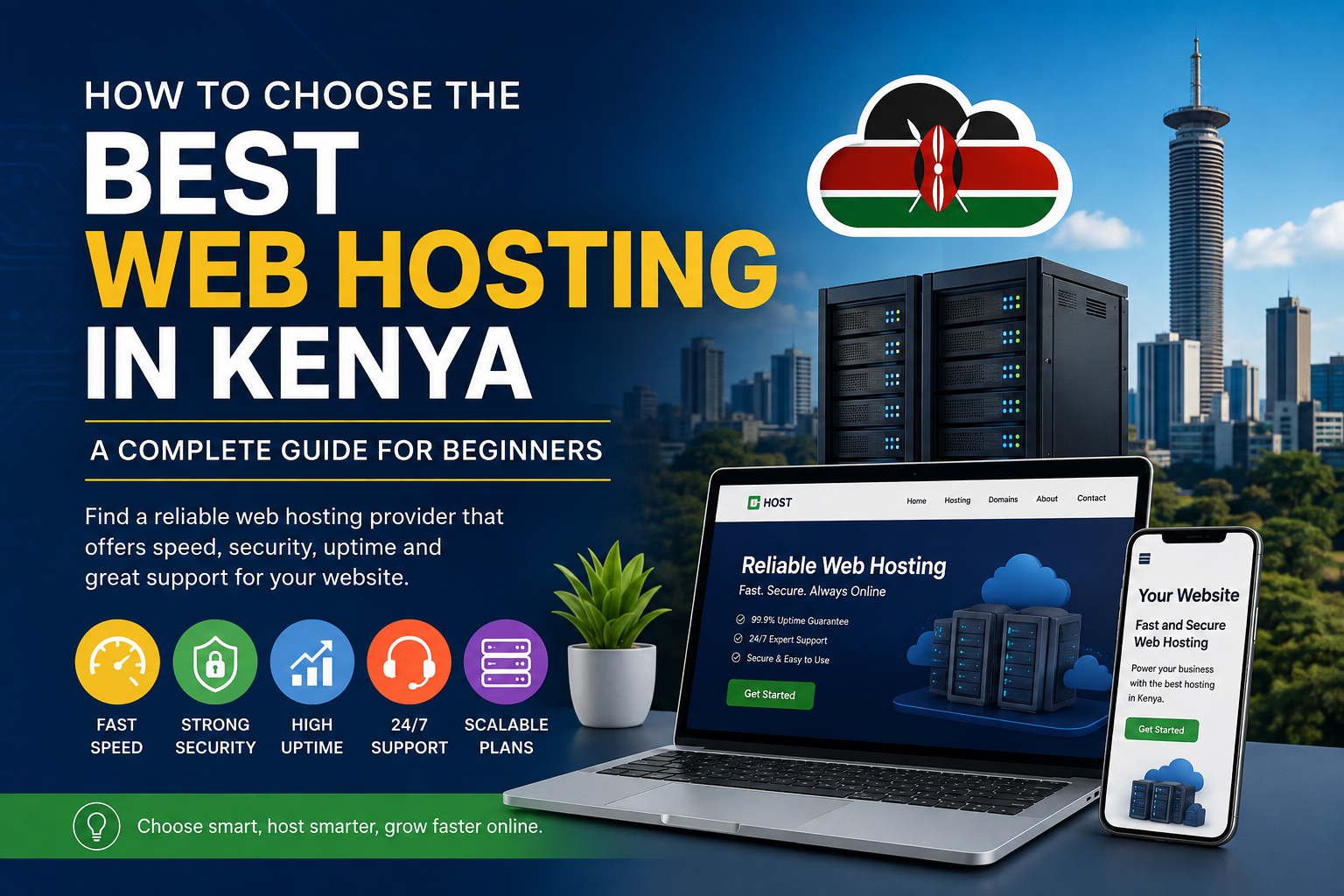

Choosing the best web hosting in Kenya is not simply about finding the cheapest package. The hosting plan you select can affect how quickly your website loads, how reliably it stays online, how easily you recover from a problem and how much you eventually spend as your website grows.
A small personal blog, a Kenyan business website, an online store and a busy technology publication have very different hosting requirements. Buying a plan with too few resources can lead to slow performance and frequent resource limits, while paying for a powerful VPS or dedicated server before you need one can unnecessarily increase your costs.
This guide explains how to compare web hosting providers in Kenya and choose a plan based on your website type, traffic, technical requirements, budget and future growth.
What Is Web Hosting?
Web hosting is the service that stores the files, databases and other resources required to run your website.
When someone enters your domain name into a browser, the hosting infrastructure delivers the website’s content to that visitor.
Depending on the hosting package, your provider may also supply services such as:
- Website storage
- Databases
- Email accounts
- SSL certificates
- Backups
- Security tools
- Website control panels
- WordPress management tools
- Server monitoring
- Technical support
The important point is that hosting is not one-size-fits-all. Different websites require different levels of server resources and management.
What Makes a Good Web Host in Kenya?
There is no single hosting company that is automatically the best for every website.
A good hosting provider should match your particular requirements.
When comparing providers, look at:
- Performance
- Reliability
- Security
- Available resources
- Customer support
- Backup and recovery options
- Renewal pricing
- Scalability
- Server or data-centre location
- Payment options
- Migration assistance
For Kenyan website owners, local factors such as KES pricing, M-PESA payment options and regional customer support can also be important.
Current Kenyan hosting comparisons show that providers differ considerably in storage, support, server locations, billing terms and renewal prices, so comparing the exact plan—not just the company name—is important.
Choose Hosting Based on Your Website
Before comparing hosting companies, determine what you are actually building.
| Website type | Suitable starting point | When to consider upgrading |
|---|---|---|
| Personal blog | Shared hosting | Traffic or resource usage increases |
| Small business website | Shared hosting | More visitors or applications are added |
| Portfolio website | Shared hosting | Usually only needs an upgrade as traffic grows |
| Technology/news website | Shared or VPS | Frequent traffic spikes or resource limits |
| Online store | Shared/VPS or managed WordPress | Growing product catalogue and traffic |
| Large publication | VPS/Cloud | High traffic and demanding workloads |
| Web application | VPS/Cloud | When dedicated resources or custom software are required |
The goal is to buy enough resources for your current workload while leaving a practical upgrade path.
1. Shared Hosting: Best for Most Beginners
Shared hosting places multiple websites on the same server infrastructure.
It is generally the easiest and most affordable hosting option for beginners.
Shared hosting is suitable for:
- Personal blogs
- New WordPress websites
- Small businesses
- Portfolios
- Small information websites
- Early-stage publications
Advantages
- Lower cost
- Easy control panels
- Usually includes email and SSL
- Little server administration required
- Suitable for beginners
Disadvantages
Because resources are shared, performance can be affected by the workload and limits imposed on the hosting environment.
You may also have less control over server configuration than you would with a VPS.
For a new Kenyan blog or small business website, shared hosting is often the sensible starting point.
2. VPS Hosting: When You Need More Control
A Virtual Private Server (VPS) provides a more isolated environment and dedicated allocations of resources compared with traditional shared hosting.
VPS hosting is more appropriate when a website has outgrown shared hosting or requires software and configurations that shared hosting cannot provide.
A VPS may be suitable for:
- Growing technology websites
- High-traffic blogs
- Online stores
- Web applications
- Developer projects
- Websites requiring custom server configurations
The trade-off is complexity.
A managed VPS may include administration and support, while an unmanaged VPS can require you or your developer to handle server updates, security and configuration.
Before buying a VPS, determine whether you actually need the additional control and resources. Managed VPS services can reduce administration work but generally cost more than basic shared hosting.
3. Cloud Hosting: Useful for Growing Websites
Cloud hosting uses infrastructure that can provide greater flexibility and scalability than a traditional single-server setup.
It can be useful for:
- Growing businesses
- Busy publications
- E-commerce websites
- Applications
- Websites experiencing unpredictable traffic
Cloud hosting is particularly attractive when your website’s resource requirements change significantly over time.
However, cloud hosting is not automatically better simply because it is called “cloud.” Compare the actual CPU, RAM, storage, bandwidth, backup, support and pricing structure.
4. Dedicated Hosting: For Large Workloads
Dedicated hosting gives a customer an entire physical server.
This provides significantly more control and resources, but it is usually unnecessary for a new blog or small business website.
Dedicated servers are more appropriate for organisations with:
- High and sustained traffic
- Resource-intensive applications
- Special server requirements
- Large databases
- Strict infrastructure requirements
For most new websites in Kenya, starting with dedicated hosting would be unnecessary.
How Much Hosting Storage Do You Need?
Storage refers to the amount of space available for your website’s files, databases, emails and other data.
A basic business website may need relatively little storage.
A media-heavy website may require considerably more.
Think about what your website will contain:
- Text articles
- Images
- Videos
- Documents
- Product photographs
- Databases
- Email accounts
- Backups
Don’t choose a hosting plan solely because it advertises hundreds of gigabytes of storage.
A website may never use that much space while still suffering from CPU, RAM, database or process limitations.
The quality and allocation of resources matter more than a large storage number.
CPU and RAM Matter Too
Hosting companies sometimes advertise storage prominently while providing less information about CPU and RAM.
For growing websites, these resources can become important.
CPU affects how quickly the server can process requests, while RAM helps applications handle active workloads.
Resource requirements can increase when you install:
- WooCommerce
- Page builders
- Large WordPress plugins
- Membership systems
- Databases
- Analytics tools
- Advertising systems
- High-traffic applications
For this reason, compare the actual resource limits of hosting plans rather than choosing the package with the biggest storage allowance.
Does Server Location Matter in Kenya?
Server location can affect network latency between your visitors and the hosting infrastructure.
If most of your visitors are in Kenya, infrastructure closer to your audience can potentially reduce network latency.
However, server location is only one part of performance.
Website speed also depends on:
- Hosting resources
- Network quality
- Caching
- Content Delivery Networks
- Image sizes
- WordPress configuration
- Plugins
- Theme performance
- Database efficiency
Therefore, don’t assume that a server located in Kenya will automatically make every website faster than one hosted elsewhere.
Website Speed Should Be Part of Your Hosting Decision
A slow website can frustrate visitors and make pages harder to use.
Google recommends paying attention to overall page experience, including Core Web Vitals, mobile usability and secure delivery. Google also makes clear that good page experience alone does not guarantee high search rankings.
When evaluating hosting, look for technologies such as:
- SSD or NVMe storage
- Server-side caching
- HTTP/2 or HTTP/3 support
- CDN compatibility
- Modern PHP versions
- Database optimisation
- Adequate CPU and RAM
But remember that hosting is only one component of website performance.
A poorly optimised WordPress website can remain slow even on an expensive server.
How Important Is 99.9% Uptime?
Uptime refers to how consistently your website remains available.
Hosting companies commonly advertise uptime figures such as 99.9%.
However, don’t look at the percentage alone.
Ask:
- Is the uptime figure backed by an SLA?
- What does the provider consider downtime?
- Are scheduled maintenance periods excluded?
- Is compensation available?
- Does the company publish historical performance?
Even a strong uptime commitment does not mean your website can never go offline.
Your own WordPress configuration, plugins, domain settings and application errors can also cause downtime.
Security Features You Should Look For
Website security should be considered before you purchase hosting.
Useful features include:
Free SSL
HTTPS encrypts the connection between your website and visitors and is now standard for modern websites.
Automatic Backups
Backups allow you to recover your website after certain failures or accidental changes.
Malware Protection
Some hosting providers offer malware scanning or security monitoring.
Firewall Protection
A web application firewall or other network security controls can help block malicious traffic.
Account Security
Look for strong account authentication and, where available, two-factor authentication.
Isolation
On shared hosting, technologies that isolate accounts can help reduce the impact of problems affecting other websites on the same server.
Don’t assume that a hosting company’s backup is your only backup. For important websites, maintaining an independent backup is a sensible additional safeguard.
WordPress Hosting: What Should You Look For?
WordPress powers millions of websites, including blogs, business websites and online publications.
If you are using WordPress, look for hosting that supports:
- Current PHP versions
- MySQL or compatible database systems
- SSL
- Automatic or easy backups
- Caching
- WordPress installation tools
- Staging environments where available
- Malware protection
- Easy restore options
For a WordPress news or technology website, also consider how the host handles:
- Traffic spikes
- Large media libraries
- Database usage
- Multiple plugins
- Caching
- CDN integration
A basic shared plan may be sufficient initially, but a growing publication may eventually benefit from VPS or cloud infrastructure.
Don’t Ignore Customer Support
Technical problems don’t always happen during business hours.
Before buying, find out how support is provided.
Possible channels include:
- Live chat
- Ticketing
- Telephone
- Knowledge bases
More importantly, determine whether you are communicating with technical support staff or simply automated systems.
If your website generates revenue or is important to your business, fast technical support can be worth paying more for.
M-PESA and Local Payments Can Make Hosting Easier
For Kenyan customers, payment convenience can be an important consideration.
Some providers serving Kenya offer:
- M-PESA payments
- Kenyan-shilling billing
- Local customer support
- .co.ke domain registration
- Local business contacts
International providers may instead bill in US dollars or require international payment methods.
Neither option is automatically better.
Choose based on what works for your business.
If you prefer local billing and support, a Kenyan provider may be more convenient. If you need a specific international infrastructure or service, an international provider may be more appropriate.
Watch Out for Introductory Hosting Prices
One of the biggest mistakes buyers make is looking only at the advertised starting price.
A hosting company may offer a low promotional rate for the initial term and charge a higher price when the subscription renews.
Before purchasing, check:
Initial price → Renewal price → Billing period → Taxes → Included features
For example, a plan advertised as a low monthly amount may require payment for 12, 24 or 36 months upfront.
Always calculate the total amount you will actually pay.
Current Kenyan hosting comparisons show significant differences between promotional prices and regular renewal prices among providers.
Compare Hosting Based on Total Cost
Don’t compare providers using the monthly headline price alone.
Calculate your expected cost over at least one or two years.
Consider:
- Hosting
- Domain registration
- Renewal
- SSL
- Backups
- CDN
- Premium security tools
- Migration fees
- Taxes
- Additional storage
A plan costing slightly more may be cheaper overall if it includes features you would otherwise have to purchase separately.
Free Domain Doesn’t Always Mean Free Forever
Some hosting companies include a free domain for the first year.
Check:
- Which domain extensions qualify
- Whether the offer applies only to the first year
- Renewal pricing
- Transfer conditions
- Whether privacy protection is included
This is especially important if you’re registering a .co.ke domain.
Can You Move Your Website to Another Host?
Yes.
Website migration is possible in most hosting environments.
However, migration can involve:
- Website files
- Databases
- DNS records
- SSL certificates
- Domain settings
Before buying hosting, find out whether the provider offers free migration assistance.
Also make sure you have access to your website’s files and database so you are not completely dependent on the hosting company.
Your website should remain portable.
When Should You Upgrade Your Hosting?
Don’t upgrade simply because another company advertises a bigger package.
Upgrade when your website demonstrates a genuine need.
Signs include:
- Frequent resource-limit warnings
- Consistently slow server response
- Increasing traffic
- Traffic spikes causing downtime
- Database performance problems
- Insufficient CPU or RAM
- Need for custom server software
- Growing e-commerce workload
For example, a new WordPress blog with modest traffic may work perfectly well on shared hosting.
A rapidly growing publication receiving large traffic spikes may eventually need VPS or cloud hosting.
When Should You Stay on Shared Hosting?
Stay on shared hosting when:
- Your traffic is relatively low
- Your website loads reliably
- You aren’t hitting resource limits
- You don’t need root access
- You don’t need custom server software
- Your current plan meets your requirements
Don’t upgrade just for the sake of upgrading.
A well-configured shared hosting account can be perfectly adequate for many websites.
A Practical Hosting Checklist for Kenyan Website Owners
Before purchasing a hosting plan, ask these questions:
Performance
- What storage technology is used?
- What CPU and RAM resources are available?
- Is caching included?
- Can I use a CDN?
Reliability
- What uptime commitment is provided?
- Is there an SLA?
- What happens during extended downtime?
Security
- Is SSL included?
- Are backups included?
- How frequently are backups created?
- How long are backups retained?
- Is malware scanning available?
Support
- How can I contact support?
- Is support available 24/7?
- Is migration assistance included?
Pricing
- What is the introductory price?
- What is the renewal price?
- How frequently must I pay?
- Are taxes included?
- What additional services cost extra?
Growth
- Can I upgrade without moving providers?
- Can I move from shared hosting to VPS?
- Can I increase storage and resources?
- Can I host multiple websites?
Kenya-specific considerations
- Can I pay using M-PESA?
- Is billing available in KES?
- Is a
.co.kedomain available? - Where are the relevant servers located?
- Is local customer support available?
Which Hosting Should You Choose?
A simple rule can help:
Choose Shared Hosting if:
You’re launching a blog, portfolio or small business website and want an affordable, easy-to-manage solution.
Choose Managed WordPress Hosting if:
You use WordPress and want the hosting company to handle more of the technical work.
Choose VPS Hosting if:
Your website is growing, you need more resources or you require greater server control.
Choose Cloud Hosting if:
You need flexibility and expect your resource requirements to change significantly.
Choose Dedicated Hosting if:
You operate a large or resource-intensive website that genuinely requires an entire physical server.
Should You Choose a Kenyan or International Hosting Company?
There is no universal answer.
Kenyan hosting may be better if you value:
- M-PESA payments
- KES billing
- Local support
- Kenyan domain services
- Regional business relationships
International hosting may be better if you need:
- Specific international data-centre locations
- Global infrastructure
- Particular developer tools
- Specialised managed services
- A specific technology stack
Your target audience should also influence the decision.
A website serving mainly Kenyan visitors has different infrastructure considerations from one targeting customers across Europe, North America and Asia.
Common Web Hosting Mistakes
Avoid these mistakes when choosing a provider:
Choosing only by price
The cheapest package may have restrictive CPU, RAM, backup or support policies.
Ignoring renewal costs
A cheap introductory offer can become expensive at renewal.
Buying too much too early
You don’t need a dedicated server for a new blog with a few visitors.
Ignoring backups
A hosting provider’s backup policy should be clearly understood before you depend on it.
Looking only at storage
CPU, RAM, processes, database performance and server configuration can matter just as much.
Assuming hosting alone makes a website fast
Themes, plugins, images, code, caching and databases all affect performance.
Failing to plan for migration
Make sure you can retrieve your website files and database if you eventually change providers.
Frequently Asked Questions
Which web hosting is best for beginners in Kenya?
Shared hosting is usually the easiest starting point for beginners because it is affordable and requires less technical server management.
How much does web hosting cost in Kenya?
Prices vary significantly depending on the provider, hosting type, billing period and included features. Entry-level shared hosting can cost a few thousand Kenyan shillings per year, while VPS, cloud and dedicated hosting can cost substantially more. Always check the current price and renewal cost before purchasing.
Is M-PESA important when choosing hosting?
It can be convenient for Kenyan customers, but it should not be the deciding factor. Performance, reliability, security, support and total cost are more important.
Is local hosting faster for Kenyan visitors?
Not necessarily. Server location can influence latency, but website optimisation, network routing, caching and CDN configuration also affect performance.
Do I need VPS hosting for a WordPress website?
Not necessarily. Many WordPress websites can run successfully on shared hosting. Consider VPS hosting when your website consistently needs more resources or greater server control.
Can I change my hosting provider later?
Yes. Most websites can be migrated to another provider. Keep independent backups and make sure you retain access to your domain, files and database.
Is expensive hosting always better?
No. The best hosting plan is the one that provides the resources, reliability, security and support your website actually needs.
Final Verdict
The best web hosting in Kenya is not necessarily the cheapest or the most expensive option. It is the hosting service that matches your website’s workload and gives you enough room to grow without paying for resources you don’t currently need.
For a new blog or small business website, shared hosting is often the most practical starting point. As traffic, applications or resource requirements increase, you can consider managed WordPress hosting, VPS or cloud hosting.
Before paying for any plan, compare the complete package: resources, performance, security, backups, support, renewal pricing, scalability and payment options.
Most importantly, don’t choose a host based solely on a promotional price or an impressive storage number. Look at what your website actually needs today, what it may need in the next two years and how easily the provider can support that growth.
A thoughtful hosting decision can save money, reduce technical problems and provide a more reliable foundation for your website as it grows.
