
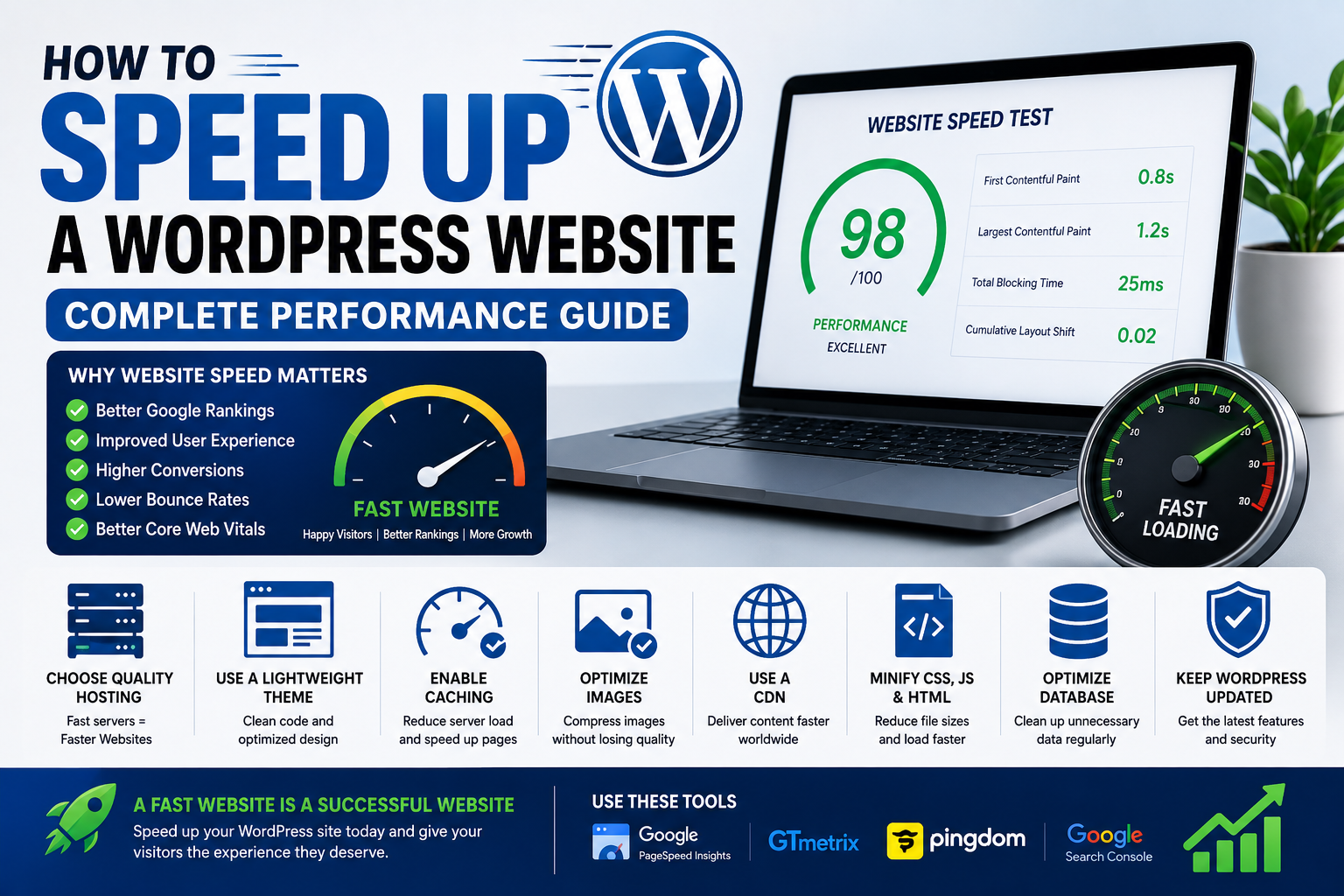

A slow WordPress website can frustrate visitors, increase page abandonment and make it harder for people to find and use your content. This is particularly important for websites that receive much of their traffic from mobile users or operate on slower and more expensive internet connections.
Website speed also matters for search performance. Google uses page experience signals, including Core Web Vitals, as part of its overall evaluation of web pages. However, speed should not be treated as a shortcut to higher rankings. The primary goal is to make your website faster and easier to use.
Whether you operate a blog, business website, online store or digital publication, improving performance can reduce unnecessary server work, improve mobile usability and create a better experience for visitors.
This guide explains practical ways to speed up WordPress, how to identify what is slowing your website down and what to check before and after making changes.
What Makes a WordPress Website Slow?
There isn’t usually one single reason for poor performance.
A WordPress website can become slow because of:
- Poor-quality or overloaded hosting
- Large image files
- Too many plugins
- Heavy themes
- Unoptimized JavaScript and CSS
- Excessive third-party scripts
- Poor caching configuration
- Slow database queries
- Too many advertisements
- Poorly configured CDN services
- Large or cluttered pages
The first step should therefore be identifying the actual bottleneck instead of installing several optimization plugins and hoping they solve the problem.
1. Test Your Website Before Making Changes
Before optimizing your website, establish a baseline.
Run important pages through a performance testing tool and record:
- Largest Contentful Paint (LCP)
- Interaction to Next Paint (INP)
- Cumulative Layout Shift (CLS)
- Page size
- Number of requests
- Server response time
Test more than your homepage.
For example, a content website should test:
- Homepage
- Article page
- Category page
- Search page
- Any important landing page
Your homepage may be fast while individual article pages are slow because of advertising, related-post widgets, embedded videos or other scripts.
Testing first also helps you determine whether an optimization actually improved performance.
2. Choose Hosting That Matches Your Traffic
Your hosting environment is one of the foundations of website performance.
A small website with limited traffic may work perfectly well on shared hosting. A growing publication with many simultaneous visitors may eventually need additional server resources.
When comparing hosting plans, look beyond storage and bandwidth.
Check whether the provider offers:
- SSD or NVMe storage
- Current PHP versions
- Reliable server infrastructure
- Server-side caching
- Automatic backups
- SSL certificates
- CDN compatibility
- Clear resource limits
- Responsive technical support
For websites targeting Kenyan visitors, don’t assume that a server physically located in Kenya is automatically faster. Network routing, server performance, caching and the visitor’s connection all affect actual loading times.
3. Use a Lightweight Theme
Your WordPress theme controls much of what is loaded on each page.
A theme with excessive animations, sliders, widgets and third-party integrations can add unnecessary CSS and JavaScript.
When choosing or reviewing a theme, consider:
- Mobile performance
- Amount of JavaScript loaded
- Number of design dependencies
- Update frequency
- Accessibility
- Compatibility with your plugins
If your website uses only a fraction of the features included in a large multipurpose theme, disabling unnecessary features can sometimes improve performance without changing the entire design.
4. Optimize Images Before Uploading Them
Images are often among the largest files on a content website.
Uploading a 4 MB photograph when the website only needs a 150 KB version wastes bandwidth and increases loading time.
Before uploading images:
- Resize them to the dimensions actually required.
- Compress them.
- Use an appropriate image format.
- Avoid uploading unnecessarily high-resolution originals.
Modern formats such as WebP or AVIF can reduce file sizes when properly supported.
WordPress can also generate multiple image sizes for responsive display, allowing browsers to download a more appropriate version.
Don’t forget image dimensions
Set appropriate width and height attributes so the browser can reserve space for images before they load.
This can help reduce layout shifts, which are measured by CLS.
5. Don’t Upload Images Straight From Your Camera
Modern smartphones can produce photographs that are several megabytes in size.
If you upload these files directly to WordPress, every visitor may have to download much more data than necessary.
For article images, resize and compress photographs before uploading them.
For example, a large original photograph may be suitable for archiving, but a smaller optimized version may be much more appropriate for an article page.
Keep the original files separately rather than using them as the images served to every visitor.
6. Enable Page Caching
Caching allows WordPress to serve previously generated content instead of rebuilding every page from scratch for every visitor.
Depending on your hosting environment, you may be able to use:
- Page caching
- Browser caching
- Object caching
- Server-level caching
Some hosting companies provide caching at the server level, while others require configuration through a WordPress plugin.
Avoid running multiple caching systems that perform the same job unless you understand how they interact.
Poorly configured caching can create problems such as outdated content or broken dynamic features.
7. Consider a CDN
A Content Delivery Network (CDN) stores and delivers cached website resources from servers distributed across different locations.
A CDN can be particularly useful when your visitors are geographically spread across several countries.
It can help deliver:
- Images
- CSS files
- JavaScript
- Fonts
- Other static resources
A CDN isn’t a replacement for good hosting. If your origin server is slow or your website is badly optimized, simply adding a CDN won’t fix every performance problem.
8. Reduce Unnecessary Plugins
Plugins aren’t automatically bad for performance. The real issue is what each plugin does and how efficiently it is built.
Review your plugins regularly.
Ask:
Does this plugin provide a feature my website actually needs?
Look for:
- Duplicate functionality
- Plugins you no longer use
- Plugins that load resources site-wide unnecessarily
- Abandoned or poorly maintained plugins
For example, if three plugins provide overlapping features, consolidating them may simplify your website and reduce maintenance.
Always back up your website before removing plugins that affect important functionality.
9. Reduce Third-Party Scripts
Third-party services can add significant loading work.
Examples include:
- Advertising networks
- Social media widgets
- Analytics tools
- Chat widgets
- Video embeds
- External fonts
- Tracking platforms
This is especially important for publishers because advertising and analytics scripts can add multiple network requests.
Don’t remove useful services simply to improve a performance score. Instead, identify which scripts are responsible for the largest delays and decide whether the benefit they provide justifies the performance cost.
10. Be Careful With Advertisements
Advertising can be an important source of revenue, but excessive advertising can negatively affect usability and performance.
Avoid filling every available space with ads.
Pay particular attention to:
- Large top-of-page advertisements
- Multiple ads loading simultaneously
- Ads that shift content while loading
- Intrusive mobile advertisements
- Unnecessary advertising scripts
A clean page with useful content is generally better for visitors than a page dominated by advertising.
For publishers preparing for AdSense, prioritize content quality and user experience rather than trying to maximize the number of advertising slots.
11. Minify CSS and JavaScript Carefully
Minification removes unnecessary characters from code files to reduce their size.
You can potentially reduce:
- CSS file size
- JavaScript file size
- HTML size
However, don’t enable every optimization setting blindly.
Aggressive JavaScript combination, delay or minification can sometimes break:
- Menus
- Search functions
- Forms
- Sliders
- Advertisements
- Analytics
- Interactive elements
After changing optimization settings, test the website rather than assuming everything is working correctly.
12. Use Efficient Font Loading
Fonts can affect how quickly text becomes visible.
If your website loads several font families and multiple font weights, visitors may need to download unnecessary resources.
Consider:
- Using fewer font families
- Loading only the weights you actually use
- Avoiding unnecessary external fonts
- Using appropriate font-display settings
Typography is important for branding, but loading five font families for a simple website rarely provides enough benefit to justify the additional requests.
13. Keep WordPress, Themes and Plugins Updated
Updates aren’t only about security.
They can also improve:
- Compatibility
- Stability
- Performance
- Browser support
Keep your:
- WordPress core
- Themes
- Plugins
- PHP environment
reasonably up to date.
Before major updates, maintain a current backup and check that important website functions still work afterward.
14. Clean Up Your WordPress Database
Over time, WordPress databases can accumulate unnecessary information.
Depending on how your website is configured, this can include:
- Old post revisions
- Spam comments
- Trashed content
- Expired temporary data
- Unused metadata
Database optimization can help keep a large WordPress installation manageable.
However, don’t repeatedly run database-cleaning operations without understanding what they remove.
Always create a backup before making database changes.
15. Reduce Homepage Clutter
Your homepage is often the first page visitors see, so avoid loading everything at once.
Consider whether you really need:
- Multiple sliders
- Auto-playing videos
- Large animations
- Numerous widgets
- Several social feeds
- Multiple related-post systems
- Excessive advertisements
- Large background images
A simpler homepage can be easier to navigate and faster to load.
For a technology publication, prioritize the content visitors actually came to read instead of filling the page with every available widget.
Understanding Core Web Vitals
Core Web Vitals are useful measurements for understanding important aspects of page experience.
The main metrics include:
Largest Contentful Paint (LCP)
Measures how quickly the main content becomes visible.
A slow LCP can be caused by:
- Slow server response
- Large images
- Render-blocking resources
- Poor caching
- Heavy page content
Interaction to Next Paint (INP)
Measures how responsive a page is when users interact with it.
Heavy JavaScript can contribute to poor responsiveness.
Cumulative Layout Shift (CLS)
Measures unexpected movement of page content.
For example, if an advertisement loads and pushes an article’s text downward after the visitor has started reading, it can contribute to layout instability.
Optimizing these metrics is about improving the real user experience, not simply achieving a perfect laboratory score.
How to Tell What Is Actually Slowing Your Website
If your WordPress website is slow, investigate the problem systematically.
If the server response is slow
Look at:
- Hosting resources
- Database queries
- Caching
- Server configuration
- Traffic levels
If images are the problem
Look at:
- Image dimensions
- File sizes
- Image formats
- Lazy loading
- Responsive images
If JavaScript is the problem
Look at:
- Plugins
- Advertising scripts
- Analytics
- Social widgets
- Unnecessary theme features
If the page shifts while loading
Look at:
- Images without dimensions
- Advertisements
- Embedded content
- Dynamically inserted elements
- Fonts
This approach is much more effective than installing optimization plugins at random.
Common WordPress Speed Mistakes
Avoid these common mistakes:
- Installing several caching plugins
- Uploading huge photographs
- Using a theme with features you don’t need
- Running unnecessary plugins
- Loading too many third-party scripts
- Adding excessive advertisements
- Ignoring mobile performance
- Changing optimization settings without testing
- Focusing only on a performance score
- Making database changes without a backup
Does a Faster Website Guarantee Higher Google Rankings?
No.
Website performance is only one part of the broader search experience.
Google considers many signals when evaluating pages, including relevance, usefulness, content quality and other technical factors.
A technically fast website with poor content will not automatically outrank a slower website simply because it has a better performance score.
The goal should be to combine useful content, good technical SEO and a fast, accessible user experience.
Frequently Asked Questions
What is the easiest way to speed up WordPress?
Start with the biggest problems: hosting performance, image sizes, caching and unnecessary scripts.
Don’t make dozens of changes at once. Test your website, fix the biggest issue, test again and then move to the next problem.
Can too many plugins slow down WordPress?
They can, depending on what the plugins do. A well-developed plugin may have little noticeable impact, while a poorly optimized plugin can add significant server or browser workload.
Is a CDN necessary for a Kenyan website?
Not necessarily. A website serving mainly Kenyan visitors can still perform well without a CDN if its hosting, caching and assets are properly configured. A CDN becomes more useful when your audience is geographically distributed or when it improves delivery of static resources.
Should I delete all inactive plugins?
If you no longer need a plugin, removing it is generally preferable to leaving unnecessary software installed. However, check whether it stores important settings or data before deletion.
Can a WordPress website be fast on shared hosting?
Yes. A small or moderately trafficked website can perform well on properly configured shared hosting. Performance depends on the quality of the server, available resources, website configuration and traffic.
Why is my website fast on my computer but slow on my phone?
Your computer may have a faster connection, a larger screen and more processing power.
Mobile visitors may experience slower performance because of network conditions, device limitations or because your website sends too much data.
Always test important pages on mobile devices and networks similar to those used by your audience.
A Simple WordPress Speed Checklist
Before considering your optimization work complete, check:
- Website tested before optimization
- Hosting resources are adequate
- Images are resized and compressed
- Modern image formats are used where appropriate
- Page caching is enabled
- CDN considered where useful
- Unnecessary plugins removed
- Third-party scripts reviewed
- Excessive advertising avoided
- CSS and JavaScript optimized carefully
- Fonts kept under control
- WordPress and plugins updated
- Database backed up before cleanup
- Homepage tested on mobile
- Core Web Vitals monitored
- Website retested after every major optimization
Final Thoughts
Speeding up WordPress isn’t about installing one magic plugin or achieving a perfect performance score.
The most effective approach is to identify what is actually slowing your website down and fix the underlying problem.
Start with the fundamentals: reliable hosting, optimized images, caching, a sensible theme and a limited number of well-maintained plugins. Then investigate more advanced issues such as third-party scripts, JavaScript execution, database performance and CDN configuration.
For a growing Kenyan website, mobile performance deserves particular attention. Visitors may access your content using different devices and network conditions, so a page that feels fast on a desktop computer may not provide the same experience on a smartphone.
Most importantly, optimize for people first. A fast website that is easy to navigate, accessible on mobile and filled with genuinely useful content provides a much stronger foundation for long-term search visibility and audience growth.
Website speed is no longer jus
