
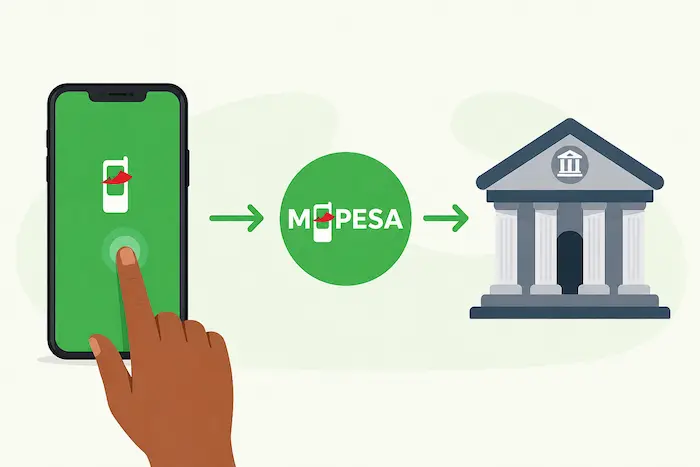

Sending money from your M-PESA account to a bank account is one of the easiest ways to move funds from mobile money into the formal banking system in Kenya.
Whether you want to transfer money to your own bank account, pay someone through their bank, or move money from M-PESA for savings or business purposes, the process is generally straightforward.
In this guide, we explain the main ways to send money from M-PESA to a bank account, what information you need, how to avoid mistakes and what to do if a transaction fails.
Can You Send Money From M-PESA to a Bank Account?
Yes. M-PESA can be used to make payments to participating banks and financial institutions.
For many banks, customers use the bank’s M-PESA PayBill number and enter the required account number as the account reference. The exact procedure and PayBill number depend on the bank.
Safaricom’s M-PESA ecosystem supports payments through PayBill services, while its digital platforms also provide different ways for customers and businesses to move money electronically.
Important: Bank PayBill numbers and transaction charges can change. Always confirm the current PayBill number and instructions from your bank before sending money.
What You Need Before Sending Money
Before starting the transaction, have:
- An active Safaricom M-PESA account
- Sufficient M-PESA balance
- The bank’s current M-PESA PayBill number
- Your bank account number
- The amount you want to transfer
- Your M-PESA PIN
You should also make sure that the account number and PayBill number are correct before confirming the transaction.
How to Send Money From M-PESA to a Bank Account Using PayBill
The most common method is through the M-PESA menu on your phone.
Step 1: Open M-PESA
On your Safaricom line, open the M-PESA menu.
Depending on your phone and the current Safaricom menu, you can access M-PESA through the SIM Toolkit, M-PESA app or Safaricom’s other supported digital channels.
Step 2: Select Lipa na M-PESA
Choose:
Lipa na M-PESA
Then select:
Pay Bill
Step 3: Enter the Bank’s PayBill Number
Enter the official PayBill number provided by your bank.
Do not guess the number. Banks have different PayBill numbers, and using an incorrect number could result in your payment being sent to the wrong service.
Step 4: Enter Your Bank Account Number
When prompted for the Account Number, enter the bank account number into which you want the money deposited.
Some banks may require a specific account-number format or additional reference information.
If your bank provides special instructions, follow them exactly.
Step 5: Enter the Amount
Enter the amount you want to transfer.
For example, if you want to transfer KSh 10,000, enter:
10,000
Make sure your M-PESA balance is sufficient to cover both the transfer and any applicable M-PESA charges.
Step 6: Enter Your M-PESA PIN
Review the transaction details carefully.
Check:
- PayBill number
- Bank account number
- Amount
- Any displayed recipient or business name
If everything is correct, enter your M-PESA PIN to authorize the transaction.
Step 7: Wait for Confirmation
After a successful transaction, M-PESA should send you a confirmation SMS containing the transaction details.
Depending on the bank, the money may appear in the bank account immediately or after some processing time.
How to Send Money From M-PESA to Your Own Bank Account
If you are transferring money from M-PESA to your personal bank account, the process is usually the same.
For example:
M-PESA → Lipa na M-PESA → PayBill → Bank PayBill Number → Account Number → Amount → M-PESA PIN
Once the transaction is completed, the bank should credit the account according to its processing procedures.
This can be useful when you want to move money from mobile money into your bank account for:
- Savings
- Paying bills
- Making bank transfers
- Business transactions
- Loan repayments
- Larger purchases
- Managing personal finances
Can You Send M-PESA Money to Any Bank?
Not necessarily through the same method.
The availability of M-PESA-to-bank services depends on the bank and the services it has integrated with M-PESA.
Some banks provide dedicated PayBill numbers for customers to deposit money into their accounts, while others may provide additional M-PESA-to-bank transfer options.
Therefore, before making a transfer, check your bank’s official website, mobile banking application, customer service channel or branch for its current M-PESA instructions.
How Long Does an M-PESA-to-Bank Transfer Take?
The processing time depends on the bank and the method used.
Some transactions can reflect quickly, while others may take longer depending on the bank’s processing systems, maintenance periods or transaction type.
If the money has been deducted from M-PESA but has not appeared in your bank account, do not immediately send the money again.
First, check your M-PESA confirmation message and contact the bank or Safaricom using an official customer-support channel.
How Much Does It Cost to Send Money From M-PESA to a Bank?
The cost depends on the transaction method, amount and applicable tariff.
M-PESA charges can change, so it is better to check the current charges displayed during the transaction or through Safaricom’s official channels rather than relying on an old fee table.
Remember that a transaction can fail because you do not have enough balance to cover both the amount being transferred and the applicable charges.
What Happens If You Enter the Wrong Bank Account Number?
Entering the wrong account number can cause serious problems.
Before entering your M-PESA PIN, carefully verify the details displayed on your phone.
If you realize that you have sent money to the wrong account, contact Safaricom and your bank immediately and provide the transaction confirmation details.
Do not wait several days before reporting the problem.
What If the M-PESA Transaction Fails?
An M-PESA-to-bank transaction can fail for several reasons, including:
- Insufficient M-PESA balance
- Incorrect PayBill number
- Incorrect account number
- Network problems
- Bank system downtime
- M-PESA service interruptions
- Transaction limits
- Incorrect account details
If the money was deducted but the bank account was not credited, keep the M-PESA transaction message and contact the relevant bank or Safaricom support team.
How to Stay Safe When Sending Money to a Bank
Mobile money transactions are convenient, but you should take precautions before authorizing a payment.
1. Confirm the PayBill number
Never rely on a PayBill number sent to you by an unknown person.
Get it from the bank’s official website, application, branch or verified customer service channel.
2. Check the account number
One wrong digit can send the money to a different account or cause the transaction to fail.
3. Never share your M-PESA PIN
Your M-PESA PIN is private.
Safaricom’s digital account guidance emphasizes keeping account credentials confidential and notifying the company if credentials are compromised.
4. Don’t trust fake confirmation messages
Scammers can send fake SMS messages claiming that a transaction has been completed.
Always check the actual M-PESA transaction notification and, where necessary, confirm the balance from your official banking or M-PESA channel.
5. Avoid sending money twice
If the first transaction appears delayed, check its status before attempting another transfer.
M-PESA App vs USSD: Which Is Better?
Both options can be useful.
The M-PESA app can make it easier to review transaction details before confirming a payment, while the traditional phone menu can be useful when you want to complete a transaction without relying on an app interface.
Safaricom’s M-PESA app documentation shows that the app supports transaction flows through its menu and requires confirmation and PIN authorization for transactions.
For users who prefer a simple phone-based process, USSD/SIM Toolkit remains convenient.
Frequently Asked Questions
Can I transfer KSh 5,000 from M-PESA to my bank account?
Yes, provided your bank supports the relevant M-PESA payment or transfer service and you have enough M-PESA balance to cover the amount and applicable charges.
Do I need my bank account number?
Yes. When using a bank’s M-PESA PayBill service, you normally need to provide the account number or reference requested by the bank.
Can I send M-PESA money to someone else’s bank account?
Yes, where the bank supports the relevant M-PESA service. You will generally need the bank’s PayBill number and the recipient’s account details.
Will the money reach the bank immediately?
It depends on the bank and transaction method. Some payments may reflect quickly, while others may take additional processing time.
Can I reverse an M-PESA-to-bank transaction?
If you make a mistake, contact Safaricom and/or the bank as soon as possible. A reversal is not guaranteed, particularly where funds have already been processed.
What should I do if money leaves M-PESA but does not reach my bank?
Keep the M-PESA confirmation SMS and contact your bank or Safaricom through official support channels. Do not make another payment until you establish what happened to the first transaction.
Final Takeaway
Sending money from M-PESA to a bank account in Kenya is generally straightforward. For many banks, the process involves using the bank’s M-PESA PayBill number, entering the correct account number, specifying the amount and confirming the transaction with your M-PESA PIN.
The most important thing is to verify the bank’s current PayBill number and account instructions before sending money. Also, never share your M-PESA PIN and always keep the confirmation message until you are certain that the money has reached the intended account.
As M-PESA and banking services continue to become more integrated, moving money between mobile money and bank accounts remains an important part of digital financial services in Kenya.
