
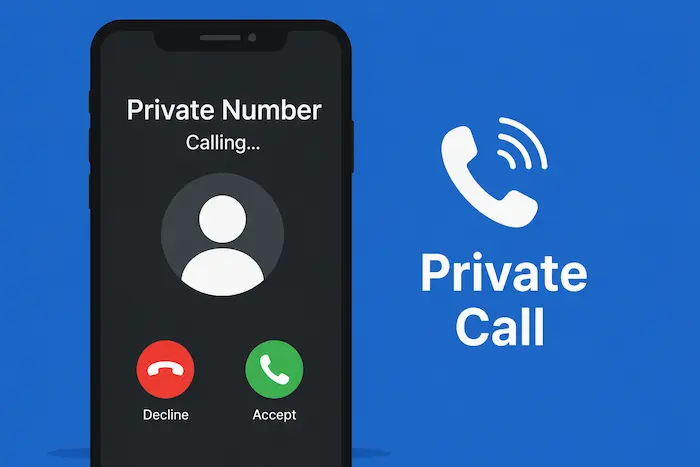

If you want to make a phone call without showing your phone number to the person receiving it, you can use your phone’s Caller ID settings or, where supported by your mobile network, a caller-ID code.
When Caller ID is successfully hidden, the person receiving your call may see “Private Number,” “Unknown,” “No Caller ID,” or similar wording instead of your phone number.
In Kenya, the exact method can depend on your mobile network, phone model and software version. This guide explains how to make a private call, how to hide your number on Android and iPhone, and what to do if your number continues to appear.
Quick Answer: How Do I Call With a Private Number in Kenya?
For a one-time call, you can try placing #31# before the phone number you want to call.
For example:
#31#0712345678
Then press the call button.
If your mobile network and phone support the feature, your number may be withheld for that particular call.
If the code does not work, you can check your phone’s Caller ID settings instead.
Important: Caller ID hiding is not supported in exactly the same way on every network or device. If
#31#does not work, use the Caller ID settings on your phone or contact your mobile network provider.You can also compare the best internet providers in Kenya if you’re looking for an alternative to mobile data.
How to Make a Private Call for One Call
If you only want to hide your number for a single call, using a Caller ID prefix can be more convenient than changing your phone’s permanent settings.
Try entering:
#31# + phone number
For example:
#31#0712345678
Then press Call.
If the feature is supported, the recipient may see your call as Private Number or Unknown instead of seeing your phone number.
Why Use a One-Time Private Call?
This method can be useful when you want to:
- Keep your personal number private for a particular call
- Contact someone without immediately displaying your number
- Avoid changing your phone’s Caller ID settings permanently
- Separate certain calls from your normal Caller ID
If the recipient still sees your number, the code may not be supported by your network or the Caller ID setting on your phone may override it.
How to Hide Your Number on an iPhone
iPhone users can control Caller ID from the Phone settings, although the exact options can vary depending on the iOS version and mobile carrier.
On recent versions of iOS, try these steps:
- Open Settings.
- Tap Apps.
- Tap Phone.
- Look for Show My Caller ID.
- Turn Show My Caller ID off.
Your number should be withheld on outgoing calls where your carrier supports Caller ID blocking.
What If “Show My Caller ID” Is Missing?
If you cannot find the option, or it is unavailable, your mobile carrier may control the setting.
In that situation, contact your network provider for assistance.
The setting can also vary depending on your country, carrier and iOS version.
How to Hide Your Number on Android
Android phones from Samsung, Tecno, Infinix, Xiaomi, Google and other manufacturers can have different menus.
However, the general process is similar.
Try the following:
- Open the Phone app.
- Tap the three-dot menu.
- Select Settings.
- Look for Calls, Calling accounts, or a similar option.
- Select the SIM or mobile network you use for calls.
- Look for Additional settings or More settings.
- Select Caller ID.
- Choose Hide number.
Depending on your phone, you may see options such as:
- Network default
- Hide number
- Show number
Select Hide number if you want your outgoing calls to appear as private and the option is supported by your network.
Android Settings Can Be Different
There is no single Caller ID menu used by every Android phone.
For example, a Samsung phone may organize the settings differently from a Tecno, Infinix, Xiaomi or Google Pixel device.
If you cannot find the Caller ID option, search your Phone app’s settings for Caller ID, Hide number, or Show my caller ID.
How to Make a Private Call on Safaricom
If you use Safaricom, you can try the one-time Caller ID method by adding #31# before the number.
For example:
#31#0722000000
Then press Call.
If Caller ID hiding is supported on your line, the recipient may not see your normal phone number.
You can also check your phone’s Caller ID settings and select Hide number, if available.
What If #31# Does Not Work on Safaricom?
Don’t assume that the code will work in every situation.
Caller ID behavior can depend on your line, device and network configuration.
If the number continues to appear:
- Check your phone’s Caller ID settings.
- Try the call again after changing the setting.
- Check whether your phone allows Caller ID blocking.
- Contact Safaricom customer support if the feature remains unavailable.
Can You Make a Private Call on Airtel Kenya?
Airtel Kenya customers can also check whether Caller ID hiding is available on their phone and line.
You can try:
#31#0712345678
and then press Call.
If it does not work, open your Phone app’s settings and look for Caller ID or Hide number.
Because Caller ID features can vary according to network configuration and device settings, there is no guarantee that the same method will work on every Airtel line.
If the option is unavailable, contacting Airtel customer support is the best way to confirm whether Caller ID restriction is supported on your line.
How to Show Your Number Again
If you have hidden your number and want people to see it again, simply restore your Caller ID settings.
On iPhone
Go to:
Settings → Apps → Phone → Show My Caller ID
Turn Show My Caller ID on.
On Android
Depending on your phone, go to:
Phone → Settings → Calls/Calling accounts → Additional settings → Caller ID
Then choose:
Show number or Network default.
The menu may have a different name on your device.
Why Is My Number Still Showing?
If you followed the steps but your number still appears when you call someone, there are several possible reasons.
1. Your network may not support Caller ID blocking
Caller ID restrictions are controlled partly by the mobile network. A phone setting cannot always override a carrier restriction.
2. Your phone may be using the network default
If Caller ID is set to Network default, your number may continue to appear.
Try selecting Hide number if that option is available.
3. Your carrier may control the feature
Some Caller ID functions may not be available through the phone’s settings.
If the option is missing or disabled, contact your mobile network provider.
4. Your phone software may use a different menu
Android manufacturers customize their software, so the steps on a Samsung phone may not be identical to those on a Tecno, Infinix, Xiaomi or Pixel.
5. The recipient’s phone may display information differently
The receiving phone may display Private Number, Unknown, No Caller ID, or another message depending on its software and network.
Private Number vs Unknown Number: What’s the Difference?
The terms Private Number, Unknown Number and No Caller ID are often used interchangeably, but they can have different causes.
Private Number
Usually indicates that the caller’s Caller ID information has been deliberately withheld.
No Caller ID
Generally indicates that the caller’s number is not being displayed to the recipient.
Unknown Number
Can indicate that the receiving phone or network could not obtain or identify the caller information.
The exact wording depends on the phone and network handling the call.
Does Hiding Your Number Make You Anonymous?
No.
Hiding Caller ID mainly prevents your phone number from being displayed on the recipient’s phone.
It should not be treated as a guarantee that a call cannot be identified.
Mobile networks can maintain records associated with calls, and information may be accessible to authorized parties through applicable legal processes.
For that reason, Caller ID hiding should not be confused with complete anonymity.
Can a Private Number Be Traced?
A private call does not necessarily mean an untraceable call.
When you hide your Caller ID, you are primarily controlling what the recipient sees on their phone.
Mobile networks may still have records associated with the communication.
If you are concerned about privacy, remember that Caller ID blocking and complete anonymity are two different things.
Why Would Someone Hide Their Phone Number?
There are legitimate reasons to hide a phone number.
For example, someone may want to:
- Protect their personal privacy
- Make a call without immediately sharing their number
- Keep a personal number separate from certain communications
- Avoid having their number automatically saved by someone they contact
However, hiding Caller ID does not give someone permission to use the feature for harassment, fraud, threats or other unlawful activities.
Can You Hide Your Number on WhatsApp?
Hiding your normal mobile Caller ID does not mean that your phone number is hidden in every communication service.
WhatsApp handles calls differently from ordinary cellular calls.
Therefore, changing your phone’s Caller ID settings should not be assumed to hide your number from WhatsApp contacts.
If your goal is to protect your privacy on messaging apps, check the privacy controls provided by the specific app instead.
What Happens When You Call Someone With a Private Number?
When Caller ID hiding works, the receiving phone may display a message such as:
Private Number
or
Unknown
or
No Caller ID
The recipient may therefore be unable to see your normal mobile number from the incoming-call screen.
However, some people and businesses choose not to answer calls from hidden numbers.
Frequently Asked Questions
How do I call someone with a private number in Kenya?
For a one-time call, try adding #31# before the number. For example, #31#0712345678. Whether it works depends on your mobile network and phone configuration.
How do I hide my number permanently?
Open your phone’s Caller ID settings and select Hide number, if the option is available and supported by your network.
How do I hide my number on an iPhone?
Go to Settings → Apps → Phone → Show My Caller ID and turn the option off. If the setting is unavailable, your carrier may control Caller ID restrictions.
How do I hide my number on Android?
Open the Phone app, go to Settings, find Caller ID, and select Hide number where the option is available.
Does #31# work in Kenya?
#31# can be used for Caller ID restriction on networks that support the feature, but availability can vary. If it does not work on your line, check your phone’s Caller ID settings or contact your network provider.
How do I hide my number when calling from Safaricom?
You can try placing #31# before the number for a single call. You can also check your phone’s Caller ID settings for a Hide number option.
How do I hide my number when calling from Airtel Kenya?
Try #31# before the number and check your phone’s Caller ID settings. If neither method works, contact Airtel to confirm whether Caller ID restriction is available on your line.
Why does my private number still show?
Your network may not support Caller ID blocking, your phone may be set to Network default, or your carrier may control the feature. Check your Caller ID settings and contact your network provider if necessary.
Can someone see my number if I call them privately?
The recipient’s normal incoming-call screen may not display your number when Caller ID blocking works. However, hiding Caller ID does not mean your call is completely anonymous to the mobile network.
Can I receive calls from a private number?
Yes. A phone can receive calls where the caller’s Caller ID has been withheld. Depending on your device and settings, the call may appear as Private Number, Unknown, or No Caller ID.
Final Word
Making a private call in Kenya can be useful when you want to keep your phone number from being displayed to the person you are calling.
For a one-time private call, you can try adding #31# before the phone number. If your device and network support Caller ID restriction, the recipient may see Private Number, Unknown, or No Caller ID.
For regular Caller ID hiding, Android and iPhone users can check their phone settings and select Hide number or turn off Show My Caller ID, where supported.
Keep in mind that private Caller ID is not the same as complete anonymity. Use the feature responsibly and never use it to facilitate fraud, harassment, threats or other unlawful activity.
