
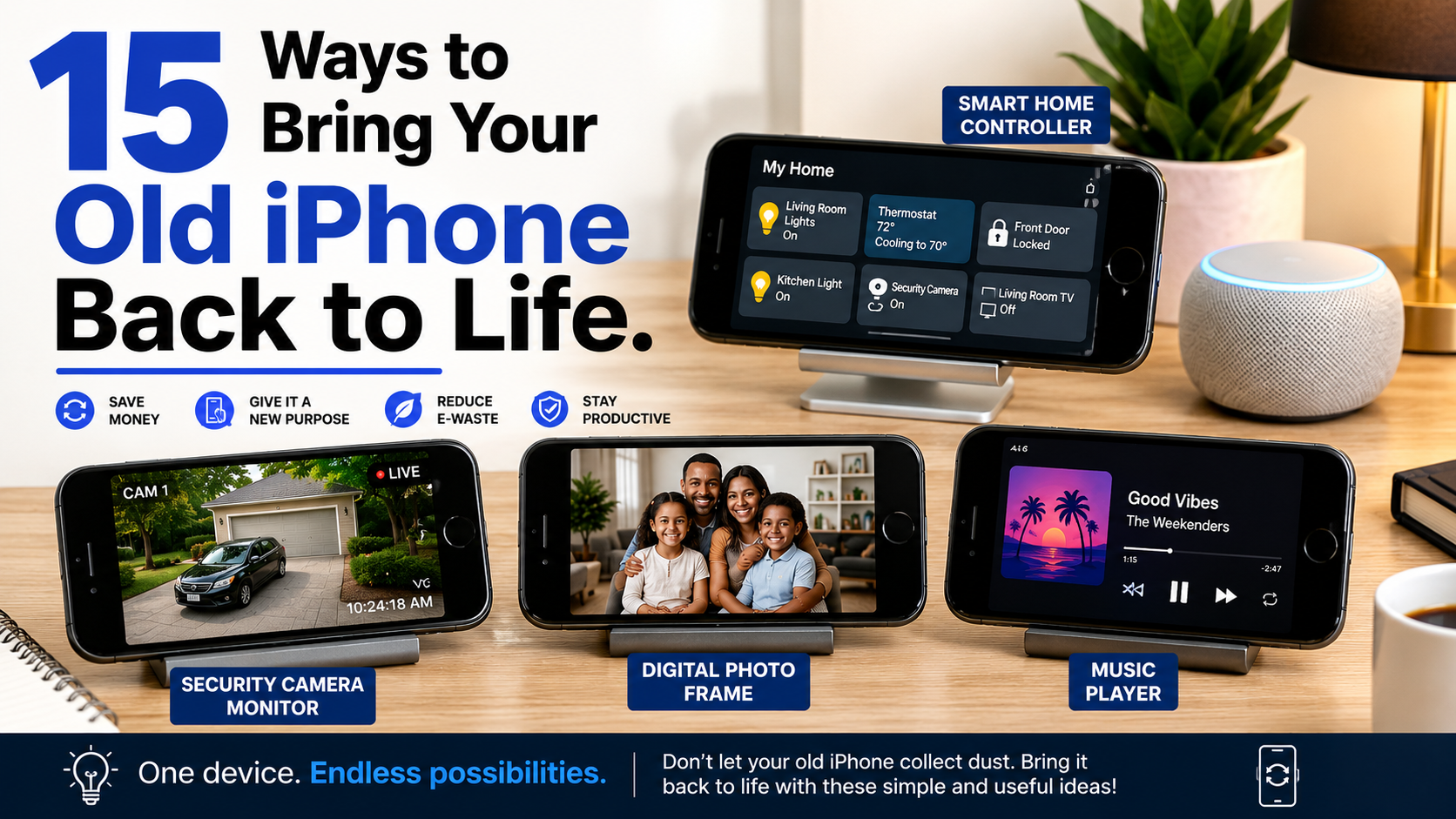

Upgrading to a newer iPhone does not necessarily mean your old one has become useless.
An older iPhone can still be valuable as a dedicated music player, travel device, camera, smart-home controller, children’s learning device or emergency backup phone. In some cases, a battery replacement and a clean-up can make the device considerably more useful.
Before selling, donating or recycling your old iPhone, consider whether you can give it a second purpose.
Here are 15 practical ways to reuse an old iPhone, along with a few things you should check before handing it over to someone else.
1. Start With a Clean-Up
If the iPhone has become slow or cluttered, begin by removing unnecessary apps, photos and files.
Before deleting anything:
- Back up important photos, contacts and documents.
- Remove apps you no longer use.
- Review downloaded files.
- Free up storage space.
- Install the latest iOS version supported by the device.
If you’re keeping the phone, you don’t necessarily need to perform a factory reset. A reset is more appropriate when you’re preparing the device for another person.
Keeping some free storage can also help prevent an older device from becoming unnecessarily difficult to use.
2. Check the Battery Before Giving Up on It
Battery condition is one of the first things to investigate when an older iPhone becomes inconvenient.
Go to:
Settings → Battery → Battery Health & Charging
Apple displays information about the battery’s maximum capacity and whether the battery may need servicing.
A degraded battery can result in shorter battery life and may affect the overall experience.
However, 80% should not be treated as a universal rule that means the battery must be replaced. Battery replacement makes sense when the phone’s battery life has become inadequate or iOS reports a service-related issue.
For older iPhones that are otherwise working well, replacing the battery can be a more economical option than purchasing another device.
3. Turn It Into a Dedicated Music Player
An old iPhone can become a useful entertainment device.
You can use it for:
- Downloaded music
- Podcasts
- Audiobooks
- Streaming services
- Internet radio
Connect it to Bluetooth headphones, speakers, a car audio system or a home stereo.
The advantage is simple: you don’t have to occupy your primary phone whenever you want to listen to music.
4. Use It as a Smart-Home Controller
If you have smart-home products, an old iPhone can become a dedicated control device.
Depending on the products you own, it can provide quick access to:
- Smart lights
- Security cameras
- Smart plugs
- Smart speakers
- Smart TVs
- Home automation systems
You can keep the device in a convenient location rather than constantly reaching for your primary phone.
Before doing this, make sure the iPhone still supports the relevant smart-home applications and receives necessary security updates.
5. Turn It Into a Home Monitoring Camera
An older iPhone may be useful for basic home monitoring when paired with an appropriate application.
Possible uses include monitoring:
- A pet
- A baby’s room
- A doorway
- A workspace
- A garage
However, this is not a replacement for a purpose-built security camera.
A continuously operating smartphone can generate heat, consume power and create privacy concerns. Avoid placing it where sensitive conversations or private activities could be recorded, and only use monitoring applications from reputable developers.
6. Give It to a Child as a Learning Device
An old iPhone can be repurposed as a controlled learning and entertainment device for a child.
Parents can configure features such as Apple’s Screen Time and content restrictions, where supported.
The phone could be used for:
- Educational applications
- E-books
- Language learning
- Drawing
- Educational videos
- Music
- Communication with family
Before handing it over, remove unnecessary accounts and configure privacy and parental controls appropriately.
7. Turn It Into a Portable Gaming Device
Older iPhones can still be capable gaming machines, depending on their processor and software support.
You can install compatible games and pair the phone with a Bluetooth controller.
It can be particularly useful for:
- Puzzle games
- Casual games
- Racing games
- Older titles
- Cloud gaming services that support the device
Don’t assume every modern game will run well on an older iPhone. Check the game’s current compatibility requirements before installing it.
8. Keep It as a Travel Device
An old iPhone can be useful when travelling because you don’t necessarily need to expose your newest phone to every situation.
You could use it for:
- Offline maps
- Travel documents
- Translation
- Hotel information
- Entertainment
- Photography
- Local connectivity where supported
Download important maps, documents and entertainment before leaving home so that the device remains useful when internet access is unreliable.
For international travel, also check whether the iPhone supports the SIM or eSIM configuration you intend to use.
9. Use It as a Secondary Camera
Older iPhones can still be surprisingly capable cameras.
Instead of carrying your main phone everywhere, use the old iPhone for:
- Product photography
- Behind-the-scenes videos
- Time-lapse recordings
- Social-media content
- Family events
- Basic video production
This can be particularly useful for creators and small businesses that need a second camera without purchasing dedicated equipment.
The quality will depend heavily on the specific iPhone model.
10. Make It a Kitchen Assistant
A spare iPhone can be surprisingly useful in the kitchen.
Mount it on a suitable stand and use it for:
- Recipes
- Cooking videos
- Timers
- Shopping lists
- Unit conversions
- Meal planning
- Music and podcasts
A dedicated kitchen phone also reduces the need to repeatedly handle your primary device while cooking.
11. Turn It Into a Digital Photo Display
If you have an old iPhone with a functioning screen, it can become a simple digital photo display.
Create a dedicated photo album and place the phone on a stand while charging.
This works particularly well for displaying:
- Family photographs
- Travel memories
- Artwork
- Event photographs
Keep the device away from excessive heat and use appropriate charging equipment if it will remain plugged in for long periods.
12. Use It for Video Calls
An old iPhone can become a dedicated video-calling device.
Depending on the model and software support, you can use compatible services for:
- Family calls
- Online meetings
- Remote learning
- Virtual appointments
- Team communication
This can be useful if you regularly participate in video calls and want to keep your main phone available for other tasks.
13. Keep It as an Emergency Backup Phone
One of the most practical uses for an old iPhone is simply keeping it as a backup.
If your primary smartphone is lost, damaged or unavailable, a functioning spare can give you access to essential communication and online services.
Keep it:
- Charged
- Updated where possible
- Protected with a passcode
- Stored somewhere safe
If you intend to use it for financial services, make sure the device still receives appropriate security updates and that you follow your bank or mobile-money provider’s security requirements.
14. Use It as a Fitness Companion
A spare iPhone can also be useful during exercise.
You can use compatible apps for:
- Walking
- Running
- Cycling
- Workout tracking
- Music
- Timers
This allows you to leave your primary smartphone somewhere safe while exercising.
The usefulness of fitness tracking will depend on the iPhone model, available sensors and the applications it can still run.
15. Donate, Sell or Recycle It
Sometimes the best second life for an old iPhone is giving it to someone else.
If the device still works, consider:
- Selling it
- Giving it to a family member
- Donating it
- Trading it in
- Recycling it through an appropriate electronics-recycling programme
Before giving away or selling an iPhone, protect your personal information.
Back up your data, sign out of your Apple Account, remove the device from your account where necessary, and erase all content and settings.
Do not simply hand over the phone while your personal account remains signed in.
How to Make an Older iPhone Feel Faster
If the phone is becoming sluggish, there are several basic things worth trying.
Free Up Storage
Remove unnecessary videos, downloads and applications.
Large amounts of unused data can make managing the device more difficult.
Restart the iPhone
A simple restart can sometimes resolve temporary software problems.
Update iOS When Supported
Install available software updates when your device supports them.
Updates can provide security fixes, bug fixes and other improvements.
However, very old iPhones may no longer support the newest versions of iOS.
Review Background Activity
Check which applications are using battery and operating in the background.
You don’t need every application constantly refreshing its content.
Reduce Unnecessary Notifications
Large numbers of notifications can make an old device feel busier than necessary.
Keep alerts enabled for important applications and disable unnecessary ones.
What You Should Not Do With an Old iPhone
Repurposing an old phone does not mean ignoring security.
Avoid using an outdated iPhone for highly sensitive activities if it no longer receives important security updates.
In particular, be cautious about relying on very old devices for:
- Banking
- Financial services
- Sensitive work
- Password management
- Private business information
Application compatibility and security support should be considered before turning an old device into a permanent financial or business phone.
When Is It Better to Replace the iPhone?
Not every old iPhone is worth repairing.
Consider replacing or recycling it if:
- The battery is severely degraded and replacement is uneconomical.
- The screen or body is extensively damaged.
- Important applications no longer support the device.
- It no longer receives appropriate security updates.
- Performance is too poor for your intended use.
- Repair costs approach the value of a newer device.
The goal is not to keep every old smartphone forever. The goal is to get as much useful life as reasonably possible from technology you already own.
Why Reusing an Old iPhone Makes Sense
Giving an old smartphone a second purpose can provide several benefits.
It Saves Money
A spare iPhone can perform tasks that might otherwise require purchasing another gadget.
It Reduces Electronic Waste
Keeping electronics in use for longer can reduce the need to replace them unnecessarily.
It Creates Dedicated Devices
Instead of asking one smartphone to do everything, an old iPhone can be assigned a specific role.
It Can Help Someone Else
A phone that no longer meets your needs may still be perfectly useful to a family member, student or community organisation.
What Kenyan Users Should Consider
For Kenyan smartphone users, an old iPhone can be particularly useful as a secondary device for communication, entertainment, photography and travel.
However, before relying on an older iPhone for mobile banking or other sensitive services, check its current software support and whether the applications you need still work on that iOS version.
If you’re planning to give the phone to someone else, remember to remove your Apple Account and personal information before transferring ownership.
And if the device has reached the end of its useful life, responsible electronic-waste recycling is preferable to simply throwing it into household rubbish.
Frequently Asked Questions
Can an old iPhone still be useful?
Yes. Its usefulness depends on the model, battery condition, software support and applications available for it. Older iPhones can still work well for music, photography, video calls, travel and other basic tasks.
Should I replace an iPhone battery?
Battery replacement can make sense when battery life has deteriorated significantly and the rest of the device remains useful. Check Battery Health & Charging before making a decision.
Can I use an old iPhone as a security camera?
It can be used for basic monitoring with compatible software, but a dedicated security camera may be more appropriate for continuous surveillance.
Can I give my old iPhone to someone else?
Yes. Before transferring ownership, back up your information, sign out of your Apple Account and erase the device.
Is it safe to use an old iPhone for banking?
It depends on whether the device still receives appropriate security updates and whether your banking application supports its software version. A very old, unsupported iPhone should not be treated as a secure banking device.
What should I do if my old iPhone no longer receives iOS updates?
You can still use it for lower-risk offline tasks, entertainment or as a secondary device, but you should be more cautious about using it for sensitive online activities.
Final Verdict
An old iPhone doesn’t automatically become worthless when you upgrade.
With a little maintenance, it can become a music player, travel companion, secondary camera, gaming device, kitchen assistant, learning device or emergency backup phone.
The most important consideration, however, is not simply whether the phone still turns on. Check its battery condition, application compatibility, software support and security before deciding what role it should play.
And when the device finally reaches the end of its useful life, selling, donating or responsibly recycling it is a better option than leaving it unused in a drawer or throwing it into ordinary household waste.
Your old iPhone may not be your main smartphone anymore—but it could still have plenty of useful life left.
