
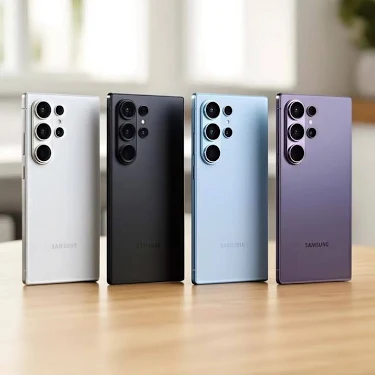

Buying a Samsung phone in Kenya can be exciting—until you discover that the “Galaxy S24 Ultra” you paid hundreds of thousands of shillings for is actually a counterfeit device.
Fake Samsung phones have become increasingly convincing. Some look almost identical to genuine devices, use Samsung logos and packaging, and can even copy the appearance of One UI.
The good news? You don’t have to be a phone expert to spot a fake Samsung.
Before you hand over your money, there are several simple checks you can perform in just a few minutes.
Why You Should Check a Samsung Phone Before Buying
A counterfeit phone isn’t simply a cheaper Samsung.
It may have inferior hardware, poor camera quality, weaker security, unreliable software and specifications that don’t match what the seller advertised.
You could also end up buying a phone with a problematic IMEI, a refurbished device sold as new, or a model intended for another market.
For buyers in Kenya, especially those purchasing expensive Galaxy S, Z and A Series phones, checking the device before payment can save you from an expensive mistake.
1. Check the IMEI Number
This should be one of your first checks.
Open the phone dialer and enter:
*#06#
The phone should display its IMEI number.
Compare it with the IMEI shown under:
Settings → About phone
Also compare it with the information on the original box where applicable.
If the numbers don’t match, stop and investigate before buying the phone.
An IMEI mismatch can indicate that the phone, packaging or software has been altered.
Pro tip: Don’t rely on the box alone. A counterfeit seller can put a genuine-looking box together with a different device.
2. Check the Model Number
Go to:
Settings → About phone
Look for the Model number.
Samsung uses model numbers such as SM-S928B, SM-S938B and similar identifiers depending on the device and market.
Search the exact model number and confirm that it corresponds to the Samsung model the seller claims to be selling.
If someone is advertising a phone as a Galaxy S-series flagship but the model number belongs to a completely different device, that’s a major red flag.
3. Check Samsung Members
One of the most useful checks is the Samsung Members application.
A genuine supported Samsung device should be able to interact properly with Samsung’s ecosystem and diagnostic tools.
Open Samsung Members and look for device information and diagnostics.
You can also use Samsung’s diagnostic features to test things such as:
- Display
- Touchscreen
- Speakers
- Cameras
- Sensors
- Battery-related functions
- Other hardware components
If the phone cannot properly identify itself within Samsung’s ecosystem, investigate before purchasing.
4. Look for the Galaxy Store
Open the application list and look for Galaxy Store.
Samsung’s Galaxy Store is an important part of the company’s software ecosystem.
A fake phone may instead contain generic Android applications designed to make the device look like a Samsung.
However, the presence of Galaxy Store alone does not prove that a phone is genuine. Counterfeit devices can imitate individual Samsung apps, so use several checks together.
5. Check One UI Carefully
Samsung phones run Samsung’s customized Android interface, One UI.
Go to:
Settings → About phone → Software information
Look for information relating to One UI and the Android version.
Then explore the Settings menu.
Fake phones sometimes use a generic Android interface modified to resemble Samsung’s software. You may notice:
- Strange translations
- Poorly designed menus
- Missing Samsung features
- Unusual icons
- Incorrect model information
- Apps that crash unexpectedly
- Settings that don’t correspond with the advertised model
A phone that looks like Samsung isn’t necessarily running genuine Samsung software.
6. Test Samsung-Specific Features
If you’re buying a premium Galaxy device, test some of the features it is supposed to support.
Depending on the model, these may include:
- Samsung DeX
- Secure Folder
- Galaxy AI features
- Samsung Wallet
- Knox security features
- Advanced camera functions
Don’t assume every feature is available in every country or on every model. Regional differences exist.
But if a seller claims you’re buying a flagship and important hardware or software features are completely missing, ask questions.
7. Try the Samsung Hardware Diagnostic Menu
On many Samsung devices, entering:
*#0*#
in the dialer may open Samsung’s hardware test menu.
Depending on the device and software version, you may be able to test components such as:
- Display
- Touch
- Vibration
- Speakers
- Cameras
- Sensors
This code may not work on every Samsung device, particularly depending on software, carrier or regional restrictions.
So don’t automatically conclude that a phone is fake simply because the code doesn’t work.
8. Check the Camera Instead of Trusting the Megapixel Number
Counterfeit phones can advertise impressive camera specifications that don’t match the actual hardware.
Open the camera and test:
- Main camera
- Ultra-wide camera
- Telephoto camera, if advertised
- Front camera
- Zoom
- Video recording
- Night photography
If a phone is advertised as having a sophisticated multi-camera system but some lenses don’t actually function independently, that’s a serious warning sign.
9. Check the Storage and RAM
A fake phone can report specifications that aren’t actually present.
For example, a seller might advertise:
12GB RAM + 512GB storage
but the device may have significantly less physical hardware.
Check the specifications under:
Settings → Device care
or the device information section.
For expensive purchases, you can also use reputable hardware-information tools to cross-check the reported processor, RAM and storage.
10. Be Suspicious of an Unbelievably Cheap Price
This is one of the simplest checks.
If the normal market price for a particular Samsung model is significantly higher than what a seller is asking, don’t immediately assume you’ve found a bargain.
Ask:
- Is it new or refurbished?
- Is it imported?
- Is it carrier-locked?
- Is it a genuine Samsung?
- Is the warranty valid?
- Does the IMEI match?
- Is it the exact model advertised?
A huge discount isn’t automatically proof of a counterfeit—but it is a reason to investigate.
New, Used or Refurbished? Know What You’re Buying
Not every phone that isn’t brand-new is fake.
A genuine Samsung phone can be:
New — never previously used.
Used — previously owned and operated.
Refurbished — previously used but repaired, tested or restored.
The problem occurs when a seller advertises a refurbished or used phone as brand new.
That’s why buyers should ask directly:
“Is this phone brand new, refurbished or used?”
Get the answer before paying.
Don’t Send Money Before Testing the Phone
This is particularly important when buying through online marketplaces or social media.
Whenever possible:
- Meet in a safe location.
- Inspect the phone physically.
- Turn it on.
- Check the IMEI.
- Check the model number.
- Test Samsung software.
- Test the cameras.
- Check the display and touchscreen.
- Confirm what accessories are included.
- Only pay after you’re satisfied.
If a seller refuses to let you inspect the device before payment, consider walking away.
What About the Samsung Box?
The box can provide useful information, but don’t use it as your only proof.
Check whether:
- The model number matches the phone.
- The IMEI matches where applicable.
- The serial information is consistent.
- Labels look professionally printed.
- Accessories correspond with the model.
But remember: a box can be copied, replaced or paired with another device.
The phone itself is what matters most.
The Safest Way to Buy a Samsung Phone
If you’re spending a significant amount of money on a Samsung smartphone, buy from a reputable retailer or an authorized Samsung channel where possible.
For second-hand purchases, perform your own checks before completing the transaction.
Never allow excitement over a cheap Galaxy phone to replace basic verification.
Final Samsung Originality Checklist
Before buying a Samsung phone, check:
- IMEI using
*#06# - IMEI under Settings → About phone
- Model number
- Serial number
- Samsung Members
- Galaxy Store
- One UI and software information
- Camera functionality
- RAM and storage
- Display and touchscreen
- Samsung-specific features
- Physical build quality
- Seller’s return/warranty policy
- Whether the device is new, used or refurbished
The Bottom Line
Don’t buy a Samsung phone because it looks genuine. Buy it only after you’ve verified it.
A counterfeit device can look surprisingly convincing, but checking the IMEI, model number, Samsung software, hardware and device information can expose many red flags before you lose your money.
For Kenyan smartphone buyers, these checks are especially useful when purchasing expensive Galaxy devices from unfamiliar sellers or online marketplaces.
Planning to buy a Samsung phone soon? Bookmark this guide and run through the checks before you pay.
This article is intended as a practical buyer’s guide. No single check is guaranteed to establish authenticity on its own, so use several verification methods together.
