
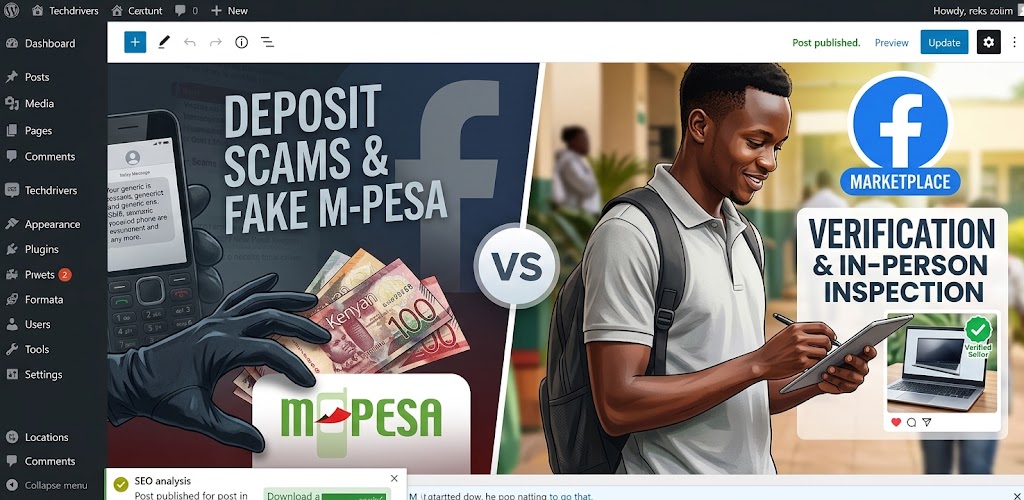

Facebook Marketplace can be a convenient place for Kenyans to find used phones, laptops, TVs, furniture, electronics, cars and other products at prices that may be lower than those of established retailers.
But the same convenience can also attract fraudsters.
A seller may post a genuine-looking product photo, offer an attractive price and quickly move the conversation to WhatsApp or a phone call. After building trust, they may ask the buyer to send a deposit, delivery fee or full payment before the product is seen.
The product may never arrive.
Other scams involve fake payment messages, copied listings, impersonation, fake delivery arrangements or pressure to make a payment immediately.
The Communications Authority of Kenya has previously warned about online-shopping fraud conducted through websites, mobile applications and social-media platforms, including Facebook. Its guidance highlights warning signs such as unavailable physical addresses, suspicious contacts and requests to send money to individuals posing as representatives of online stores.
For Kenyan buyers, the most important rule is simple:
Never let a good deal pressure you into skipping basic verification.
What Is a Facebook Marketplace Scam?
A Facebook Marketplace scam occurs when someone uses a Marketplace listing, seller account or related communication to deceive a buyer or seller into losing money, personal information or a product.
The scam can happen before, during or after a transaction.
For example, a fraudster may:
- Advertise a product that does not exist
- Copy another seller’s genuine listing
- Use stolen product photographs
- Offer an unusually low price
- Pretend to be a legitimate dealer
- Ask for a deposit before viewing the item
- Send a fake M-Pesa payment message
- Create a fake delivery arrangement
- Claim that a courier requires an additional payment
- Pressure the buyer to act immediately
- Move the conversation away from Facebook
- Disappear after receiving payment
The Communications Authority has noted that social-media platforms can be used to perpetrate online fraud and impersonation. Its cybersecurity reporting has also documented financial losses and loss of consumer goods associated with impersonating accounts.
How a Typical Facebook Marketplace Scam Works in Kenya
A Marketplace scam can look surprisingly normal at first.
Here is a common hypothetical example.
Step 1: You find an attractive listing
Suppose you are looking for a used iPhone, laptop or TV.
You find a listing offering the product for KSh 25,000 while similar products appear to cost considerably more.
The seller has photographs, a description and a phone number.
Nothing immediately appears unusual.
Step 2: You contact the seller
You send a message through Facebook.
The seller responds quickly and tells you the item is still available.
They may even send additional photographs or videos.
This can create a sense that the seller is genuine.
But photographs and videos alone do not prove that the person owns the product.
Step 3: The seller creates urgency
The seller might say:
“I have another buyer coming.”
Or:
“Send a deposit so I can reserve it.”
Or:
“Pay now and I’ll send it through a rider.”
The objective is to make you feel that waiting could cause you to lose the deal.
Step 4: You are asked to send money
The seller may request:
- A deposit
- Delivery charges
- Booking fees
- “Commitment” money
- Full payment
- Insurance
- Clearance fees
Once you send the money, the seller may stop responding.
Step 5: A second scam may follow
Sometimes the first payment is not the end.
A fraudster may claim:
“The rider needs another KSh 2,000.”
Or:
“The payment has been held and you need to pay a release fee.”
Or:
“The item has been stopped at the stage. Send money for clearance.”
At this point, the buyer may keep paying because they have already committed money to the transaction.
Common Facebook Marketplace Scams in Kenya
1. The Fake Seller Scam
The person advertises a product they do not actually own.
The photographs may have been copied from another seller, retailer or website.
The price is often attractive enough to encourage immediate contact.
After receiving payment, the seller may delete the listing, block the buyer or stop answering messages.
2. The Deposit Scam
The seller tells you that many people are interested in the product.
They ask for a deposit to reserve it.
For example:
Laptop price: KSh 35,000
Deposit requested: KSh 5,000
The seller promises that you can pay the remaining amount when the laptop is delivered.
After receiving the deposit, communication stops.
3. The Fake Delivery Scam
This scam introduces a supposed delivery company or rider.
The seller may tell you that the product has already been dispatched.
You then receive another message claiming that you need to pay:
- Delivery charges
- Insurance
- Verification fees
- Clearance charges
- Refundable security fees
The requested payment can continue increasing.
4. The Fake M-Pesa Payment Scam
This is particularly important for Kenyan buyers and sellers.
A scammer may show you a message claiming that money has been sent.
For example, someone selling a laptop might receive a message that appears to show a KSh 30,000 payment.
The scammer then asks for the laptop.
But the money may never have arrived.
Do not release a product based only on a screenshot or SMS shown to you.
Check your own M-Pesa transaction information.
Your own account record—not the buyer’s screenshot—is what matters.
TechDrivers has previously covered M-PESA fraud and the importance of independently verifying suspicious transactions rather than trusting claims made by strangers. Read: How to Protect Your M-PESA Account From Fraud in Kenya.
5. The Stolen-Photo Scam
A fraudster may take photographs from another seller’s listing.
They then create a cheaper listing using the same photographs.
When you ask for more pictures, they may send additional stolen images.
This is why asking:
“Can you send another photo?”
is not always enough.
A scammer can have access to dozens of stolen photographs.
For expensive products, consider asking the seller to demonstrate that they physically have the item, while avoiding requests that expose unnecessary personal information.
6. The Too-Good-to-Be-True Price
Suppose most sellers are asking KSh 40,000 for a particular phone.
Someone lists the same model for KSh 20,000.
That does not automatically mean it is a scam.
There may be legitimate reasons for the lower price.
But a major price difference should trigger more verification, not an immediate payment.
Ask:
- Why is it cheaper?
- What is the condition?
- Is it refurbished?
- Is it genuine?
- Is the phone locked?
- Is there a warranty?
- Can I inspect it before paying?
7. The Fake Business Scam
Some scammers create Marketplace profiles that look like businesses.
They may use:
- Business names
- Logos
- Product catalogues
- Professional-looking photographs
- Multiple listings
- Phone numbers
- Customer reviews
A professional-looking Facebook page does not automatically prove that the business is legitimate.
Verify the business independently before sending a significant amount of money.
8. The “Pay Before Viewing” Scam
A seller may say:
“I am getting many calls, so send KSh 2,000 before I show you the item.”
Be cautious.
For an expensive product, inspect it first whenever practical.
If a seller refuses any reasonable form of verification and insists on payment before you can establish that the product exists, consider walking away.
Red Flags to Watch For
A single warning sign does not automatically prove that someone is a scammer.
But several warning signs together should make you slow down.
Red flag 1: The price is dramatically below the market
An unusually low price can be used to attract people quickly.
Red flag 2: The seller creates urgency
Examples include:
- “Pay now.”
- “Last price.”
- “Someone else is sending money.”
- “I can only hold it for 10 minutes.”
Pressure is a reason to verify—not a reason to pay faster.
Red flag 3: They refuse an in-person inspection
For a product that can reasonably be inspected, refusal should raise questions.
Red flag 4: They demand a deposit
A deposit is not automatically fraudulent, but you should understand exactly what you are paying for and who you are paying.
Red flag 5: They keep changing the payment number
If the seller repeatedly provides different names or mobile-money numbers, stop and investigate.
Red flag 6: The seller’s story keeps changing
For example:
- The item was in Nairobi.
- Then it is suddenly in Mombasa.
- Then a cousin has it.
- Then a rider has already collected it.
Inconsistent explanations should make you cautious.
Red flag 7: They want to move you away from Facebook immediately
Moving to WhatsApp is not automatically suspicious. Many legitimate Kenyan sellers use WhatsApp.
However, once the conversation leaves Marketplace, you have fewer platform-level signals to examine.
Keep records of the original listing and conversation.
Red flag 8: They ask for unnecessary personal information
Be careful if someone asks for information unrelated to the transaction.
Do not casually send:
- National ID copies
- PINs
- Passwords
- OTPs
- Banking credentials
- M-Pesa PIN
- Sensitive personal documents
The Communications Authority has specifically warned about disclosure of personally identifiable information in relation to fraud and SIM-swap risks.
How to Safely Buy Something on Facebook Marketplace
1. Research the normal market price
Before contacting the seller, look at several listings for the same product.
This gives you an approximate market range.
If one listing is dramatically cheaper, investigate why.
2. Check the seller’s profile
Look for:
- How long the account appears to have existed
- Previous activity
- Other listings
- Consistency of information
- Location
- Whether the account appears to have been created recently
Remember that an old Facebook account does not guarantee that a seller is genuine.
3. Ask specific questions
Don’t simply ask:
“Is it available?”
Ask:
- How long have you owned it?
- Why are you selling it?
- What condition is it in?
- Are there any faults?
- Is there a receipt?
- Is there a warranty?
- Can I inspect it before paying?
- Where can I view it?
Specific questions make it easier to identify inconsistent answers.
4. Inspect the product
If you’re buying a smartphone, check:
- IMEI
- Display
- Cameras
- Battery
- Charging
- Speakers
- Microphone
- Wi-Fi
- Bluetooth
- SIM connectivity
- Fingerprint or Face ID
- Account locks
- Physical damage
For laptops, check:
- CPU
- RAM
- SSD
- Battery
- Keyboard
- Trackpad
- Display
- USB ports
- HDMI
- Wi-Fi
- Webcam
- Charger
- Fan noise
- Overheating
TechDrivers’ guide on what to check before buying a refurbished laptop in Kenya can be used as a companion checklist when buying a used or refurbished computer.
5. Don’t let a seller rush you
If someone says:
“Pay now or I’ll sell it to someone else.”
you do not have to compete for the product.
A legitimate seller may have other buyers, but you are still entitled to verify what you are purchasing.
6. Don’t trust screenshots as proof of payment
This applies particularly to M-Pesa.
If you are the seller, check your own account.
If the money has not arrived, don’t release the product.
7. Meet safely
For higher-value products, meet in a public place where possible.
Consider meeting during the day and telling someone you trust where you are going.
For expensive electronics, a place where the device can be properly tested is more useful than simply meeting somewhere crowded.
8. Keep evidence
Save:
- Marketplace listing
- Seller profile
- Facebook messages
- WhatsApp messages
- Phone numbers
- M-Pesa transaction details
- Product photographs
- Payment requests
- Delivery information
If something goes wrong, this information may be useful when reporting the incident.
A Kenya Marketplace Example
Imagine you find a used laptop advertised at KSh 18,000.
Similar laptops appear to be selling for around KSh 25,000–KSh 30,000.
The seller tells you:
“Send KSh 3,000 deposit and I’ll reserve it.”
You ask to inspect the laptop first.
The seller says:
“I am in Kisumu. I can send it through a rider to Nairobi after payment.”
You then ask for the laptop’s serial number, battery information and a short video showing the device starting up.
The seller becomes impatient and says another buyer is ready to pay.
At this point, the correct response is not to send the KSh 3,000 because you are afraid of losing the deal.
It is to slow down.
You can ask for additional verification, arrange a safe inspection or simply walk away.
There will always be another laptop.
What If You Have Already Sent Money?
Act quickly.
Step 1: Preserve the evidence
Take screenshots of:
- The Marketplace listing
- Seller profile
- Messages
- Phone numbers
- Payment requests
- M-Pesa transaction
- Delivery details
Don’t delete the conversation.
Step 2: Contact your payment provider
If you used M-Pesa or another financial service, contact the provider through its official channels and report the transaction.
Do not rely on a number supplied by the suspected scammer.
Step 3: Report the Facebook account or listing
Use Facebook’s reporting tools where appropriate.
Keep evidence before the listing disappears.
Step 4: Report the fraud
Depending on the circumstances, you can report the incident to the relevant law-enforcement authorities and seek guidance from the Communications Authority/National KE-CIRT where applicable.
The Communications Authority’s online-shopping fraud advisory recommends reporting online-fraud cases to the police or National KE-CIRT/CC.
Step 5: Protect your other accounts
If you shared personal information, passwords, verification codes or other sensitive details, secure the affected accounts immediately.
If your mobile number may have been compromised, take the threat seriously.
TechDrivers has a detailed guide explaining how SIM-swap fraud works in Kenya and how to protect yourself.
What If You Are the Seller?
Marketplace scams can target sellers too.
A buyer may claim that they have sent money and show a fake payment message.
Another common tactic is to send a fake payment confirmation and pressure you to release the product.
As a seller:
Never release an expensive product based solely on a screenshot.
Check your own account.
You should also be cautious about buyers who:
- Overpay and ask for a refund
- Send suspicious payment links
- Ask you to enter banking details
- Send unfamiliar apps
- Claim a payment is “pending”
- Pressure you to hand over the product immediately
Facebook Marketplace Scam Checklist
Before paying, ask yourself:
☐ Have I checked the normal market price?
☐ Have I inspected the seller’s profile?
☐ Have I asked why the product is being sold?
☐ Have I verified that the product actually exists?
☐ Can I inspect the item before paying?
☐ Have I tested the product?
☐ Am I sending money to the correct person?
☐ Am I being pressured to pay immediately?
☐ Is the seller asking for unnecessary personal information?
☐ Am I relying on a screenshot instead of my own payment records?
☐ Do I have the original listing and conversation saved?
If several answers make you uncomfortable, stop the transaction.
Facebook Marketplace Scam vs Genuine Bargain
| Sign | Possible genuine bargain | Possible scam |
|---|---|---|
| Price | Seller has a clear reason for discount | Extremely low with no convincing explanation |
| Inspection | Seller allows reasonable inspection | Seller refuses or keeps delaying |
| Payment | Payment after verification | Deposit/full payment demanded upfront |
| Communication | Consistent information | Story keeps changing |
| Product | Seller can demonstrate ownership | Only copied photos/videos |
| Urgency | Normal negotiation | Strong pressure to pay immediately |
| Payment proof | Transaction appears in your account | Screenshot supplied by buyer/seller |
| Seller identity | Information can be independently checked | Identity is difficult to verify |
No single row proves fraud. Look at the overall pattern.
Why Facebook Marketplace Requires Extra Caution in Kenya
Online marketplaces make it easier for buyers and sellers to connect, but that does not mean every transaction has the same protections as buying from an established retailer.
The Communications Authority has previously noted challenges around consumer protection in online trade platforms and has highlighted the need for consumers to exercise caution when buying and selling online.
That makes your own verification especially important.
The safest approach is not to assume that every Marketplace seller is a scammer.
It is to assume that you need to verify the transaction before trusting it.
Frequently Asked Questions
Is Facebook Marketplace safe in Kenya?
Facebook Marketplace can be used legitimately by Kenyan buyers and sellers, but scams and impersonation can occur. The Communications Authority has previously warned that social-media platforms can be used to conduct online-shopping fraud.
Should I pay a Facebook Marketplace seller before seeing the product?
For expensive products, avoiding upfront payment and inspecting the item first can reduce your exposure to fake-listing and non-delivery scams. If inspection is not practical, carry out additional verification before paying.
How can I tell if a Facebook Marketplace seller is fake?
Look at the seller’s profile, listing history, product information, consistency of their story and willingness to provide reasonable verification. No single profile characteristic proves that someone is legitimate or fraudulent.
Can someone fake an M-Pesa payment message?
A person can show you a message or screenshot claiming that a payment has been made. As a seller, don’t rely on a screenshot. Check your own M-Pesa account or transaction records.
What should I do if a Facebook Marketplace seller asks for a deposit?
Ask why the deposit is necessary, whether you can inspect the product first and what happens if the transaction does not proceed. If the seller refuses reasonable verification and applies pressure, reconsider the transaction.
Can a scammer use a genuine Facebook account?
Yes. A genuine-looking or old Facebook account does not by itself prove that a particular Marketplace listing or seller is trustworthy.
What if the seller says another buyer is ready to pay?
Don’t allow artificial urgency to make the decision for you. If you cannot verify the product and seller, walking away may be safer than rushing into a payment.
What should I do if I have already been scammed?
Preserve the evidence, contact your payment provider through an official channel, report the Marketplace account or listing, and report the suspected fraud to the appropriate authorities. The Communications Authority advises reporting online-fraud cases to the police or National KE-CIRT/CC.
Can Facebook recover money lost in a Marketplace scam?
Do not assume that reporting a listing will automatically recover your money. Your payment provider and relevant authorities should be contacted promptly, while you preserve all transaction evidence.
Conclusion
Facebook Marketplace can help Kenyans find affordable phones, laptops, electronics and other products, but a cheap price should never replace verification.
The most common warning signs include unusually low prices, pressure to pay quickly, requests for deposits, refusal to allow inspection, suspicious payment claims and stories that keep changing.
If you’re buying an expensive item, take your time.
Check the seller. Verify the product. Inspect it where possible. Confirm payments from your own account. Keep evidence. And never share your PIN, password or verification code because someone claims to be helping with a transaction.
The most important Marketplace rule is simple:
If the seller is making you feel rushed, slow the transaction down.
A genuine bargain can wait for reasonable verification. A scammer often cannot.
