
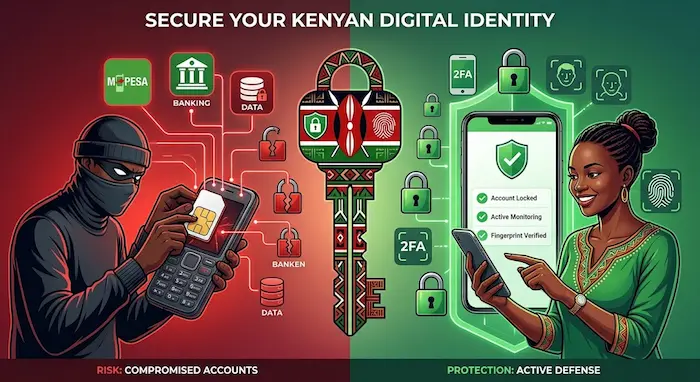

Your mobile number is no longer just a way to make calls and receive SMS messages.
In Kenya, a phone number can be connected to M-PESA, banking services, email accounts, social media, investment platforms and other digital services. This makes control of your SIM card an important part of your digital security.
One of the threats consumers need to understand is SIM-swap fraud.
SIM-swap fraud occurs when someone fraudulently obtains control of a victim’s mobile number by having the number transferred to another SIM card. If successful, the victim may lose access to calls and SMS messages while the fraudster gains control of communications sent to the number.
The risk is particularly important where a mobile number is connected to financial services.
Kenya’s Communications Authority has specifically warned about disclosure of personally identifiable information that can facilitate SIM-swap fraud. More recently, the regulator said the convergence of telecommunications and digital financial services has heightened risks involving SIM-replacement fraud, identity theft and unauthorised access to consumer accounts.
This guide explains how SIM-swap fraud works, the warning signs Kenyan consumers should watch for and the steps you can take to protect your mobile number and financial accounts.
What Is SIM-Swap Fraud?
A SIM swap is a legitimate process that allows a customer to replace a SIM card when it is lost, damaged or needs replacement.
SIM-swap fraud is different.
In a fraudulent SIM swap, a criminal attempts to convince a mobile network operator that they are the legitimate owner of a particular number and obtain control of that number.
Once the number has been transferred to another SIM, communications intended for the genuine customer may start going to the replacement SIM controlled by the fraudster.
This can create a serious security problem when the number is connected to services that use SMS or the phone number as part of account verification.
How SIM-Swap Fraud Can Affect a Kenyan Consumer
Imagine a Kenyan customer whose Safaricom number is connected to M-PESA, email and several online accounts.
The customer suddenly notices that their phone has stopped receiving calls and SMS messages.
At first, they might think it is a network problem.
But if the number has been fraudulently transferred to another SIM, the situation could be much more serious.
The fraudster may now control communications sent to that number.
Depending on the services connected to the number and the security controls protecting those services, this could potentially expose the victim to attempts to access financial or online accounts.
This is why losing mobile connectivity unexpectedly can sometimes be a security warning rather than simply a network problem.
How SIM-Swap Fraud Happens
SIM-swap fraud generally involves identity and social engineering, rather than simply someone physically stealing your SIM card.
A fraudster may first gather information about a target.
This could include information such as:
- Full name
- Phone number
- Identification details
- Date of birth
- Information about accounts
- Public social-media information
- Other personal information
The Communications Authority of Kenya has previously issued an advisory specifically warning that disclosure of personally identifiable information can contribute to SIM-card swap fraud.
The attacker may then attempt to use that information to impersonate the legitimate customer during a fraudulent SIM-replacement process.
The important lesson is that personal information has value.
Information that appears harmless on its own can become more useful to a fraudster when combined with other information.
Why SIM-Swap Fraud Is Dangerous
The biggest risk is not necessarily the SIM card itself.
It is the number of services connected to your mobile number.
For example, a single Kenyan phone number could be associated with:
Mobile money
- M-PESA
- Airtel Money
Banking
- Mobile banking
- Internet banking
- Transaction alerts
Online accounts
- Gmail
- Other platforms
Financial services
- Investment accounts
- Digital lending
- Insurance
- Savings and investment platforms
This means a compromised mobile number can become the starting point for attacks against several other accounts.
Warning Signs of a Possible SIM Swap
One of the most important things is recognising unusual activity quickly.
1. Your Phone Suddenly Loses Network Service
If your phone suddenly shows No Service, Emergency Calls Only or otherwise stops connecting to the mobile network without an obvious reason, pay attention.
A temporary network problem is possible, but unexpected loss of service can also warrant checking whether your SIM or account has been compromised.
2. You Stop Receiving SMS Messages
If calls and SMS messages suddenly stop arriving while other people around you appear to have normal service, investigate.
This becomes particularly important if you have not changed your SIM or phone.
3. You Receive an Unexpected SIM-Replacement Notification
If your mobile operator informs you about a SIM replacement that you did not request, treat it as a security issue.
Do not ignore the notification.
4. Your Financial Accounts Show Unusual Activity
Unexpected transactions, login notifications or account changes should be investigated immediately.
A SIM-swap attempt does not automatically mean that money has been stolen, but suspicious financial activity should always be taken seriously.
5. You Receive Unexpected Verification Messages
If you suddenly receive authentication or account-recovery messages that you did not request, someone may be attempting to access an account.
Do not share the codes with anyone.
What Information Should You Keep Private?
Protect information that can help someone impersonate you.
Be particularly careful with:
- National ID information
- Date of birth
- Full name
- Mobile number
- M-PESA information
- Account information
- Passwords
- PINs
- One-time verification codes
- Copies of identification documents
This does not mean you should never provide identification information.
There are legitimate situations where identification is required.
The important point is to understand who is requesting it, why they need it and whether the request is legitimate.
Don’t Overshare Personal Information on Social Media
Social media can make it easier for strangers to build a profile about you.
For example, publicly sharing your:
- Full birthday
- Phone number
- Workplace
- Home area
- Identification documents
- Family information
can provide information that may be useful in social-engineering attempts.
Review your privacy settings and avoid posting sensitive documents publicly.
Protect Your M-PESA Account
If your phone number is connected to M-PESA, SIM-swap protection should be part of your overall mobile-money security strategy.
Safaricom advises customers not to disclose personal information, PINs or M-PESA details to people who call unexpectedly. It also advises customers who suspect their information or phone has been compromised to contact Safaricom promptly.
Your M-PESA PIN should remain private.
Never give it to someone simply because they claim to be calling from Safaricom, a bank or another financial service.
Related TechDrivers guide
For a broader guide to protecting your mobile-money account, read:
How to Protect Your M-PESA Account From Fraud in Kenya
That article covers fake customer-care calls, fake transaction messages, phishing, OTP scams, stolen phones and other common threats.
Protect Your Email Account
Your email account may be just as important as your mobile-money account.
It can contain:
- Password-reset messages
- Financial notifications
- Personal documents
- Work information
- Shopping receipts
- Social-media recovery links
Use a strong, unique password and enable multi-factor authentication where available.
Do not reuse your M-PESA PIN, banking password or email password.
Use Multi-Factor Authentication
Multi-factor authentication adds another layer of protection beyond a password.
Where an online service supports stronger authentication methods, consider enabling them.
Depending on the service, this could include:
- Authentication applications
- Passkeys
- Security keys
- Biometric authentication
- Other supported verification methods
Do not assume that receiving an SMS code is the strongest security option available.
What to Do If Your Phone Suddenly Loses Network
If you suddenly lose mobile connectivity and you have not changed your SIM, take the situation seriously.
Step 1: Check Whether It Is a Network Problem
Try basic troubleshooting such as checking whether your phone detects the SIM and whether other people using the same network are experiencing an outage.
If the problem appears to affect only your number, investigate further.
Step 2: Contact Your Mobile Operator
Use an official customer-care channel or visit an authorised service location.
Ask whether there has been any recent SIM replacement or unusual activity involving your number.
Step 3: Secure Your Financial Accounts
If your number is connected to M-PESA, banking or investment services, review your accounts for suspicious activity.
Step 4: Change Important Passwords
From a trusted device, consider changing passwords for important accounts if you believe your number may have been compromised.
Start with your email and other accounts that can be used to reset passwords.
Step 5: Report Suspicious Activity
Keep records of:
- Time you lost connectivity
- Relevant messages
- Account notifications
- Suspicious calls
- Transaction IDs
- Phone numbers involved
These details can help when reporting the incident.
What If Your Phone Is Stolen?
SIM-swap fraud and phone theft are different threats, but they can overlap.
If your phone is stolen, don’t wait before securing your mobile number and financial accounts.
Your priorities should include:
- Locking the device remotely where possible.
- Reporting the SIM as lost or stolen.
- Protecting M-PESA and other financial services.
- Changing important passwords.
- Checking financial transactions.
- Reporting the theft to the police.
Related TechDrivers article
Read:
How to Block a Stolen Phone in Kenya: IMEI, SIM, M-PESA and Account Protection
That guide covers IMEI information, SIM blocking, M-PESA protection and steps to take after losing a phone.
What Does Safaricom Say About SIM-Swap Protection?
Safaricom has previously published guidance encouraging customers to take precautions against SIM-swap fraud.
Its fraud-awareness information advises customers to keep personal information and PINs private and to contact Safaricom if they suspect that their phone or personal information has been compromised.
Safaricom has also previously described measures aimed at reducing SIM-swap-related fraud, including customer authentication and controls around mobile-money access following a SIM swap.
Because operator procedures can change, customers should use Safaricom’s current official channels for the latest instructions rather than relying on old social-media posts or forwarded messages.
What Does the Communications Authority of Kenya Say?
The Communications Authority of Kenya has warned about the risks associated with disclosure of personally identifiable information in relation to SIM-swap fraud.
More recently, the Authority reported that the convergence of telecommunications and digital financial services has increased risks involving SIM-replacement fraud, identity theft and unauthorised access to consumer accounts.
This is important because the security of a mobile number increasingly overlaps with the security of financial services.
A Kenya Example
Consider a hypothetical example.
Jane uses one Safaricom number for:
- M-PESA
- Her bank
- Gmail
- An investment platform
She receives a call from someone claiming to be from a telecommunications company.
The caller already knows her name and some basic information about her.
Jane gives the caller additional personal information because the conversation sounds legitimate.
Later, her phone suddenly loses network connectivity.
Instead of assuming it is a normal network problem, Jane contacts her mobile operator through an official channel and asks whether anything has happened to her line.
She also checks her financial accounts and secures her email.
This illustrates an important security principle:
The earlier you recognise unusual activity, the more opportunities you have to protect your other accounts.
How to Reduce Your SIM-Swap Risk
Use this checklist:
Protect your personal information
Don’t unnecessarily share your ID details, date of birth or other identifying information.
Protect your M-PESA PIN
Never disclose it to another person.
Protect verification codes
Never give an unexpected OTP or account-recovery code to someone who contacts you.
Secure your email
Use a strong password and multi-factor authentication.
Monitor your mobile number
Take unexplained loss of service seriously.
Monitor financial accounts
Check for transactions or account changes you don’t recognise.
Be careful with phone calls
A caller knowing your name or some personal information does not prove that they are legitimate.
Use official channels
When you need help with your mobile account, contact the operator independently rather than using a number supplied by a suspicious caller.
SIM-Swap Fraud vs Phone Theft
These two threats are sometimes confused.
| Threat | What happens | Main risk |
|---|---|---|
| Phone theft | Someone physically takes your phone | Access to the device, SIM and apps |
| SIM-swap fraud | A number is fraudulently transferred to another SIM | Loss of control of your mobile number |
| Phishing | A victim is tricked into revealing information | Account compromise |
| Social engineering | A victim is manipulated into providing information or taking an action | Identity or account compromise |
The threats can also overlap.
For example, information obtained after a phone theft could potentially be used in further fraud attempts.
Frequently Asked Questions
What is SIM-swap fraud?
SIM-swap fraud is an attempt to fraudulently transfer control of a person’s mobile number to another SIM card.
How do I know if my SIM has been swapped?
Unexpected loss of mobile service, unexplained SIM-replacement notifications and suspicious activity on accounts connected to your number can be warning signs. A network outage can cause similar symptoms, so verify the situation through your mobile operator.
Can SIM-swap fraud affect M-PESA?
It can create a risk because a mobile number may be connected to mobile-money services and other financial accounts. If you suspect your SIM has been compromised, contact your mobile operator promptly and check your financial accounts.
Can someone perform a SIM swap using my ID details?
Personal information can potentially be used in impersonation and social-engineering attempts. The Communications Authority has specifically warned about disclosure of personally identifiable information in connection with SIM-swap fraud.
Should I share my M-PESA PIN with customer care?
No. Your M-PESA PIN should remain confidential. Safaricom advises customers not to disclose PINs or personal information to people who call requesting them.
What should I do if my phone suddenly says “No Service”?
First determine whether there is a wider network problem. If the issue appears to affect only your number and you did not change your SIM, contact your mobile operator through an official channel and ask whether your line has been replaced or otherwise affected.
Is SIM-swap fraud the same as phishing?
No. Phishing typically involves tricking someone into revealing information through a fake message, website or communication. SIM-swap fraud involves obtaining control of the victim’s mobile number through a fraudulent SIM-replacement process. The two techniques can be used together.
What if I suspect someone has access to my mobile number?
Contact your mobile operator immediately, secure your financial accounts, change important passwords and check for suspicious transactions or account activity.
Can a stolen phone lead to SIM-swap fraud?
Phone theft and SIM-swap fraud are different, but information obtained from a stolen phone can potentially increase the risk of further account attacks. Secure the SIM, device and connected accounts as soon as possible.
Where can I report an unresolved telecommunications complaint in Kenya?
Start with your service provider. The Communications Authority says consumers can escalate unresolved complaints to the Authority after raising the issue with the service provider.
Conclusion
SIM-swap fraud is a reminder that your mobile number has become an important part of your digital identity.
For many Kenyans, the same number connects mobile money, banking, email, social media and other financial services.
That makes protecting the number just as important as protecting the device itself.
The best defence starts with simple habits: keep personal information private, never share your M-PESA PIN or unexpected verification codes, secure your email, monitor your financial accounts and investigate unexplained loss of mobile service.
Most importantly, don’t allow an urgent phone call to make you act without verification.
If something about a call, SMS, account notification or sudden loss of network service doesn’t look right, stop and contact the relevant service provider through an official channel.
Digital security starts with knowing what to look for—and acting quickly when something changes.
