
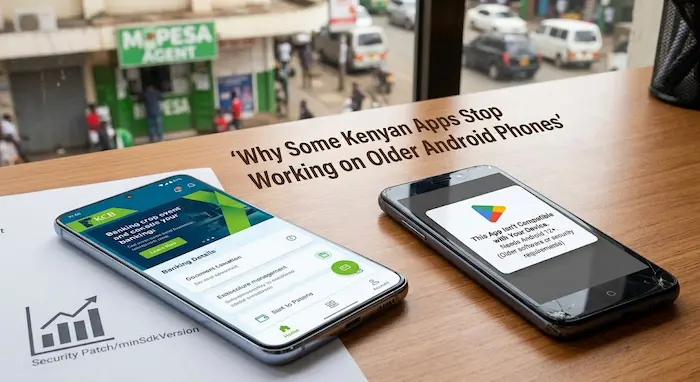

For many Kenyan smartphone users, an older Android phone can continue making calls, browsing the internet and running WhatsApp for years.
Then one day, an app refuses to install.
Another app stops receiving updates.
A banking or financial app may display a compatibility warning, while another application continues working normally.
This can leave users wondering whether their phone is broken.
Usually, it is more complicated than that.
An app can stop supporting an older Android phone because the developer has raised its minimum Android requirement, newer Android features are required, security standards have changed, or maintaining compatibility with older versions is no longer practical.
Google’s Android development documentation explains that developers use a setting called minSdkVersion to specify the lowest Android API level an application supports. Google Play uses these compatibility requirements when determining which devices can install an app.
For Kenyan consumers—particularly people using older, second-hand or refurbished smartphones—understanding this can help prevent unpleasant surprises.
Why Do Apps Stop Working on Older Android Phones?
The main reason is software compatibility.
Android changes over time. New versions introduce new APIs, permissions, security protections and system behaviours.
App developers have to decide how far back their applications should support.
Supporting an old Android version can require additional testing, compatibility code and maintenance.
Google itself notes that supporting lower Android versions can require more conditional checks and compatibility work, and developers have to weigh that maintenance against how many users remain on those versions.
Eventually, a developer may decide that an older Android version is no longer part of the app’s supported range.
That can affect users even when their phone’s hardware is still physically working.
Android Version Is More Important Than Phone Age
A phone being five or six years old does not automatically mean that every app will stop working.
What matters is the software running on it.
For example, two smartphones bought in different years could have similar hardware but different Android versions.
One may continue receiving application updates while the other becomes increasingly limited.
The key information to check is:
- Android version
- Security-update level
- Manufacturer support
- Google Play compatibility
- App-specific requirements
This is particularly important when buying used phones in Kenya.
A phone can look almost new and still be running an Android version that limits future app support.
What Does “Minimum Android Version” Mean?
One of the most important technical terms is minSdk.
In simple terms, minSdk tells Android the oldest API level an app is designed to support.
If your phone runs an Android API level below the application’s minimum requirement, Android can prevent you from installing the app.
Google explains that the operating system compares the application’s minimum API requirement with the API level on the device. If the device’s API level is too low, installation is prevented.
A simple example
Imagine an application requires at least Android API 29.
If your phone only supports API 27, Google Play may tell you that the application is incompatible with your device.
That does not necessarily mean the phone has a hardware fault.
It means the software requirements of the application and the phone no longer match.
What Is Target SDK?
Target SDK is different from minimum SDK.
Google describes targetSdk as the API level an application is designed and tested against. It also affects how Android applies certain runtime behaviours to the application.
Think of it this way:
minSdk = How old can the Android phone be?
targetSdk = Which Android environment is the app designed to work with?
They solve different problems.
An app can target a modern Android version while still supporting some older phones, provided its minimum supported API level is low enough.
Google Play Is Raising the Bar in 2026
This is an important development for Android users.
Google’s current Google Play requirements state that from August 31, 2026, new apps and app updates submitted to Google Play must target Android 16, API level 36 or higher.
For existing applications, Google says apps must target Android 15, API level 35 or higher to remain available to new users on devices running Android versions higher than the app’s target level. Older apps can become unavailable to new users on newer Android versions when they fall below the applicable target threshold.
This does not mean every phone running an older Android version will suddenly stop running every app.
The distinction is important.
Google’s target-API policy primarily concerns how apps are distributed through Google Play. Developers can also choose their own minimum supported Android version.
Why Developers Raise Android Requirements
There are several reasons.
1. Security
New Android versions introduce security and privacy improvements.
Google says that targeting newer API levels allows applications to benefit from newer security, privacy and performance improvements.
For applications dealing with sensitive information, security can be particularly important.
2. New Android Features
Developers may want to use APIs or platform features that do not exist on older Android versions.
If an application depends on newer functionality, supporting very old devices becomes more complicated.
3. Maintenance Costs
Every additional Android version increases the number of environments developers may need to test.
Instead of testing an application across a very wide range of old and new versions, a developer may eventually narrow the supported range.
4. Privacy and Permissions
Android has changed how applications handle permissions, background activity, notifications and access to device information.
An application originally built for an older Android environment may need significant changes to meet modern requirements.
Google’s Android documentation highlights multiple behaviour changes associated with newer target API levels.
Why Banking and Financial Apps Can Be Stricter
A casual application and a financial application do not necessarily have the same risk tolerance.
A game may continue working on an old Android version even after its developer stops providing some updates.
A financial application may impose stricter requirements because it handles sensitive information and transactions.
This is why Kenyan users should pay particular attention to the software-support requirements of:
- Mobile banking applications
- Digital financial services
- Investment platforms
- Payment applications
- Authentication applications
The exact Android requirements vary by application and can change over time, so users should check the requirements published by the specific provider.
What Happens When an App Says “This App Isn’t Available for Your Device”?
Several things can happen.
Google Play might show a compatibility message.
You might be unable to install the latest version.
An application that is already installed might stop receiving updates.
Some applications may continue working but lose access to newer features.
In other cases, the application may crash or behave incorrectly after an Android update.
The message does not automatically mean that the phone is damaged.
It may simply mean that the developer no longer supports your Android configuration.
Why One App Can Work While Another Doesn’t
This is one of the most confusing parts for users.
You could have an old Android phone where:
- WhatsApp still works
- YouTube works
- A browser works
- A banking app refuses to install
- A newer game is unavailable
There is no contradiction.
Every developer sets its own technical requirements.
Google Play uses application compatibility information, including minimum API requirements, to determine whether an application can be installed on a particular device.
So there is no single Android age at which all apps stop working.
A Kenyan Example: Buying a Used Smartphone
Consider someone in Nairobi looking for a refurbished smartphone with a limited budget.
A seller advertises a phone with:
6GB RAM + 128GB storage + good camera + affordable price.
The phone looks like a bargain.
But the buyer checks only the RAM, storage and camera.
They do not check the Android version or security-update status.
Six months later, an important application cannot be updated.
Another app says the device is unsupported.
The problem was not necessarily the RAM or storage.
The buyer may have purchased a phone with an ageing software-support profile.
This is why Android version should be part of your used-phone buying checklist, not an afterthought.
How to Check Your Android Version
On most Android phones, you can find the information under:
Settings → About Phone → Android Version
The exact menu wording varies between manufacturers.
Also check for:
- Android security update
- Google Play system update
- Manufacturer software version
- Available system updates
The menus can differ between Samsung, Xiaomi, Tecno, Infinix, Oppo, Nokia and other Android manufacturers.
What Is an Android Security Update?
An Android version and a security-update level are not exactly the same thing.
A phone may be running Android 13, for example, while its security patch is several months old.
Security updates address vulnerabilities and other security issues.
For users, this means that checking only the Android version does not give the complete picture.
When buying a used Android phone, ask:
When did this phone last receive a security update?
Also check whether the manufacturer still provides updates for that model.
What Should You Do If an App Stops Working?
Don’t immediately assume that you need a new phone.
Try these steps first.
Check for a system update
Go to your phone’s software-update settings and check whether an official update is available.
Update Google Play components
Check for updates to Google Play services and the Google Play system where supported.
Update the application
Open Google Play and check whether the application has an available update.
Check the app’s requirements
Look at the application’s Google Play listing or the service provider’s official support page.
Restart the phone
Some temporary application problems can disappear after a restart.
Check storage
Very low storage can also cause applications to behave poorly.
Check whether the problem affects only one app
If other applications work normally, the problem may be specific to that application.
Avoid random APK downloads
When an app becomes unavailable through Google Play, downloading an APK from an unknown website may create additional security risks.
Use official sources whenever possible.
Should You Replace Your Old Android Phone?
Not necessarily.
If your phone still receives security updates, performs adequately and supports the applications you need, there may be no immediate reason to replace it.
However, replacement becomes more reasonable when several problems appear together:
- The phone no longer receives security updates.
- Important applications are becoming incompatible.
- The manufacturer has ended software support.
- Performance has become consistently poor.
- Battery life has deteriorated significantly.
- Storage is insufficient.
- The device cannot support the applications you rely on.
The important point is to consider software support alongside hardware specifications.
What to Look for When Buying a Used Android Phone in Kenya
Before paying for a second-hand or refurbished Android phone, check:
Android version
Find out which Android version is installed.
Security patch
Check how recent the security update is.
Manufacturer support
Find out whether the manufacturer still provides software updates for that model.
Google Play certification
Check that Google Play and other required Google services work properly.
App compatibility
If you depend on specific applications, test them before buying.
Storage
Avoid choosing a phone solely because it has a large amount of RAM.
Storage and software support also matter.
Battery condition
A phone with excellent specifications but a heavily degraded battery can still become expensive to use.
For more practical smartphone advice, readers can also explore TechDrivers’ How to Check a Used Phone Before Buying in Kenya.
Don’t Confuse an Old Phone With an Unsupported Phone
An old smartphone is not automatically useless.
Some older phones continue to perform basic tasks perfectly well.
The bigger issue is whether the device remains compatible with the applications and services you need.
A phone can therefore be:
Old but still supported.
Or:
Relatively usable but increasingly unsupported.
That distinction matters when deciding whether to keep, repair or replace a device.
How Long Will Your Android Phone Keep Running Apps?
There is no universal number of years.
Software support depends on:
- Phone manufacturer
- Phone model
- Android version
- Security-update policy
- Application developer
- Google Play requirements
- Hardware capabilities
- Specific application requirements
This is why a blanket statement such as “Android phones last three years” can be misleading.
Two devices released around the same period can have very different software-support lifecycles.
What This Means for Kenyan Smartphone Buyers
For Kenyan consumers, particularly those shopping for affordable smartphones, the cheapest phone is not always the cheapest phone to own.
Suppose one device costs less upfront but reaches the end of software support sooner.
Another costs more but receives updates for longer.
The first phone may appear cheaper at the point of purchase, but the second may provide a longer period of compatibility with the apps you actually use.
This is particularly relevant for people who rely on their phones for:
- M-Pesa
- Banking
- Work
- Online shopping
- Social media
- Education
- Business
- Government services
- Digital payments
The smartphone has become an important everyday tool, so software support deserves the same attention as camera megapixels and storage capacity.
Frequently Asked Questions
Why do apps stop working on old Android phones?
Apps can stop working because developers raise their minimum Android requirements, introduce features that require newer APIs, change security requirements or stop maintaining compatibility with older Android versions.
Does an old Android phone stop working completely?
No. A phone can continue making calls, browsing the web and running some applications even when other apps become unsupported.
What does minSdk mean?
minSdk identifies the lowest Android API level that an application supports. Google Play can use this information when determining whether an app is compatible with a device.
What does targetSdk mean?
targetSdk identifies the Android API level an application is designed and tested against and can affect how Android applies certain behaviours to the app.
Will all old Android phones stop working because of Google’s 2026 Play Store requirements?
No. Google’s 2026 target-API requirements do not mean that every old Android phone will suddenly stop running every application. They affect app submission and availability policies, while individual developers also determine the minimum Android versions their apps support.
Should I buy an older Android phone because it is cheap?
Check more than the purchase price. Look at its Android version, security-update status, manufacturer support, battery condition and compatibility with the applications you need.
Can I install an unsupported app using an APK?
It may sometimes be technically possible, but downloading applications from unofficial sources can expose users to security and malware risks. Official app stores and developer websites are safer sources.
Why does one app work on my phone while another doesn’t?
Different applications have different technical requirements. One developer may continue supporting your Android version while another may have moved to a newer minimum requirement.
Conclusion
When an app stops working on an older Android phone, the problem is not always the phone itself.
Android keeps evolving, and app developers have to keep their software compatible with newer security requirements, APIs and operating-system behaviour.
Google’s current Play requirements also show that the Android app ecosystem is continuing to move toward newer target API levels, with Android 16/API 36 becoming the target for new apps and updates submitted to Google Play from August 31, 2026.
For Kenyan smartphone users, the lesson is simple:
Don’t judge a phone only by its RAM, storage or camera. Check its software support too.
Before buying an older or refurbished Android phone, check the Android version, security patch, manufacturer update policy and compatibility with the applications you actually use.
A phone that works today may not necessarily support every app you need tomorrow.
Editorial note: Android versions, Google Play policies and individual app requirements can change. Always check the latest requirements from Google, the phone manufacturer and the specific application provider before making a purchasing or software decision.
