
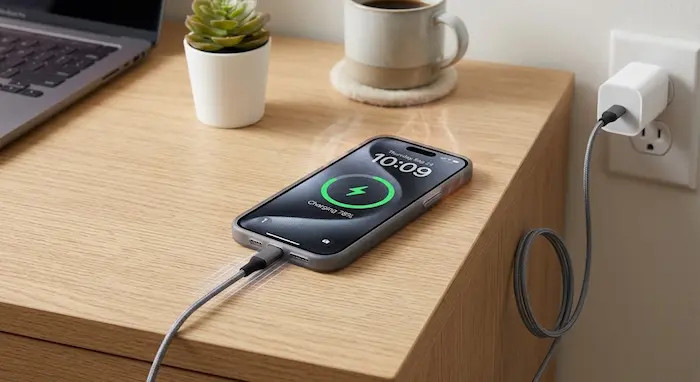

You plug your phone in at night, leave it charging for a while, and then pick it up to find the back of the device noticeably warm.
Sometimes that is completely normal.
Other times, excessive heat can be a warning that your charger, cable, battery, apps, charging environment or the phone itself needs attention.
Modern smartphones are designed to manage charging temperature automatically. They can slow down charging, reduce performance or temporarily stop charging when temperatures become too high.
But that does not mean you should ignore a phone that becomes unusually hot every time you plug it in.
For smartphone users in Kenya, the issue can be even more noticeable when charging takes place in a hot room, inside a vehicle, under bedding or while the phone is simultaneously handling mobile data, video streaming, gaming or other demanding tasks.
So, why does your phone get hot while charging, and when should you actually worry?
Is It Normal for a Phone to Get Warm While Charging?
Yes.
A smartphone does not convert every bit of electrical energy from the charger into stored battery energy. Some energy is lost as heat during the charging process.
The phone can also generate heat from its processor, display, modem, wireless radios and other components.
That means a phone can become somewhat warm while charging without there being a fault.
The important distinction is between warm and excessively hot.
If the phone becomes unusually hot, repeatedly displays a temperature warning, slows charging dramatically or stops charging altogether, you should investigate the cause.
Google says Pixel devices can become warm from normal operation, while higher temperatures can trigger power-saving measures, reduced performance and temporary shutdowns. Apple similarly says iPhones can automatically slow or pause charging when temperatures become too high.
Why Does Your Phone Get Hot While Charging?
There is rarely one single reason.
Heat can come from the charging process itself, but additional heat can be created by the charger, battery, processor, network connection, wireless charging system or the environment around the phone.
Here are the most common causes.
1. Fast Charging Produces More Heat
Fast charging has become standard on many modern smartphones.
Instead of taking several hours to recharge, a compatible phone can receive considerably more power over a shorter period.
That convenience can also mean more heat during parts of the charging cycle.
This does not mean fast charging is inherently unsafe.
Modern phones are designed to regulate charging power and temperature. However, if you combine fast charging with gaming, mobile data, direct sunlight or a hot environment, the total heat generated by the device can increase.
If your phone becomes warmer during fast charging but returns to normal after charging, that may simply be part of normal operation.
2. You Are Using the Phone While Charging
This is one of the easiest causes to overlook.
Imagine you plug in your phone and then:
- Watch YouTube
- Play a demanding game
- Make a video call
- Use Google Maps
- Upload large files
- Record video
- Browse social media for an hour
The battery is receiving energy while the phone is simultaneously consuming energy.
The processor, display, graphics hardware, camera and network modem may all be working harder.
That creates additional heat on top of the heat generated during charging.
A Kenyan example
You might connect your phone to a charger while using a Safaricom or Airtel mobile-data bundle to stream football or YouTube.
If the phone has a weak signal, it may also work harder to maintain the connection.
The combination of:
charging + mobile data + bright display + video streaming + warm room
can make the phone considerably hotter than charging it while the screen is off.
Kenya’s increasing smartphone and mobile-broadband usage makes this type of heavy mobile activity increasingly common. The Communications Authority of Kenya reported continued growth in smartphone adoption and mobile-data consumption in its sector statistics.
3. Background Apps Can Generate Heat
You may not be actively using an application, but that does not necessarily mean it is doing nothing.
Some applications continue to:
- Synchronise data
- Upload photographs
- Download files
- Check locations
- Refresh feeds
- Process notifications
- Back up information
- Connect to the internet
If several apps are doing this while the phone is charging, the processor and network hardware can remain active.
What to do
Open your phone’s battery settings and check which apps have been using the most power.
If an unfamiliar or rarely used application is consuming an unusually large amount of battery, investigate it.
This is also a good reason to remove applications you no longer need.
For more on what happens to information when an app is removed, see TechDrivers’ “What Happens to Your Data After You Delete an App?”
4. Your Phone Is Charging in a Hot Environment
Ambient temperature matters.
Charging your phone in a cool room is very different from charging it:
- In direct sunlight
- Inside a parked car
- On a hot windowsill
- Under a blanket
- Inside a bag
- On a mattress
- Near another heat source
Google advises keeping supported devices away from direct sunlight and excessive heat, while Apple’s charging guidance also recommends avoiding very hot environments.
For Kenyan users, this is particularly relevant during hot weather.
A phone that is already warm from the surrounding environment has less room to dissipate additional heat generated during charging.
5. Your Phone Case May Be Trapping Heat
A thick protective case is useful for protecting a phone from drops and scratches.
But some cases can make heat dissipation less efficient.
This can become more noticeable when:
- Fast charging is being used
- The phone is charging wirelessly
- You are using demanding applications
- The surrounding temperature is high
If your phone becomes unusually warm while charging, remove the case temporarily and see whether the temperature changes.
You do not need to remove the case every time you charge your phone.
The point is to determine whether it is contributing to the problem.
6. Wireless Charging Can Add Heat
Wireless charging is convenient, but the process can generate heat.
The charging coil in the phone has to transfer energy from the charging pad to the device.
Poor alignment, incompatible accessories, certain cases or foreign metallic objects can also interfere with wireless charging.
If your phone gets noticeably hotter on a wireless charger than it does when connected by cable, compare the two methods.
Use a compatible charger and make sure the phone is positioned correctly.
7. A Damaged or Poor-Quality Charger Can Cause Problems
The charger matters.
A cheap or damaged charging adapter may not provide the charging experience your phone was designed for.
The same applies to badly damaged cables.
Look for:
- Frayed cables
- Exposed wires
- Bent connectors
- Loose charging connections
- Burn marks
- Unusual smells
- Excessive heat from the adapter
Do not continue using a charger that appears damaged.
Google’s device safety guidance warns that damaged or incompatible charging accessories can create risks including overheating, electrical shock, damage and fire.
8. The Battery May Be Aging
Smartphone batteries do not remain at their original condition forever.
Lithium-ion batteries gradually lose capacity as they go through charging cycles and age.
As the battery gets older, you may notice:
- Shorter battery life
- Faster battery percentage drops
- Slower charging
- More frequent charging
- Unexpected shutdowns
- Increased heat during charging
Heat alone does not prove that a battery needs replacement.
However, if your phone used to charge normally and has recently started becoming unusually hot, battery condition should be one of the things you investigate.
9. Your Phone May Be Working Hard in the Background
Sometimes the problem is not the charger.
Your phone could be performing a demanding task while charging.
Examples include:
- Restoring a backup
- Installing a major software update
- Indexing files
- Uploading photos
- Downloading large applications
- Synchronising cloud storage
- Processing high-resolution video
- Using the phone as a hotspot
Google specifically notes that activities such as gaming, video recording, large data transfers, tethering and performing these tasks while charging can increase device temperature.
If the phone becomes warm during one of these activities and cools down afterwards, the workload may be the explanation.
Why Does My Phone Charge Slowly When It Gets Hot?
This is actually an important safety feature.
When a smartphone becomes too warm, its software and charging system may reduce charging power.
Some phones may also temporarily pause charging.
For example, Apple says an iPhone can automatically slow or stop charging when it becomes too warm and resume once it returns to a safer temperature.
Google similarly says Pixel phones may pause charging when they become too warm.
So if your phone suddenly changes from fast charging to slow charging on a hot afternoon, the device may be protecting itself rather than failing.
What Should You Do If Your Phone Gets Hot While Charging?
Start with the simplest steps.
1. Stop using the phone temporarily
If you are gaming, streaming video or recording content, pause the activity.
Let the phone charge without a heavy workload.
2. Move it to a cooler location
Place the phone somewhere dry and well ventilated.
Avoid direct sunlight and enclosed spaces.
3. Remove a thick case temporarily
If you suspect the case is trapping heat, remove it while the phone cools and charges.
4. Check the charger and cable
Look for physical damage, unusual heat or loose connections.
If the charger is damaged, replace it with a compatible, reputable option.
5. Check battery usage
Look at your phone’s battery settings.
If one application is consuming an unusually large amount of power, investigate it.
6. Stop charging if the phone becomes extremely hot
Do not keep forcing a phone to charge when it is displaying a temperature warning or becoming excessively hot.
Disconnect it and allow it to cool naturally.
Should You Put an Overheating Phone in the Fridge?
No.
It may be tempting to cool a hot phone quickly by putting it in a refrigerator or freezer.
Do not do this.
A sudden temperature change can create condensation and potentially cause additional problems.
Instead, disconnect the phone from power, move it away from heat and allow it to cool naturally in a safe, dry environment.
When Does Phone Heat Become a Safety Concern?
Heat deserves more attention when it is accompanied by other warning signs.
Stop charging and seek professional assistance if the phone:
- Becomes extremely hot
- Repeatedly stops charging because of temperature
- Has a swollen battery
- Has a bulging back cover
- Produces smoke
- Produces an unusual chemical or burning smell
- Has visible battery damage
- Has suffered significant physical damage
- Gets dangerously hot even when doing very little
A swollen battery should never be punctured, squeezed or opened.
Do not attempt to repair a damaged lithium-ion battery yourself.
If you suspect serious battery damage, move away from the device and seek appropriate professional assistance.
Never Charge Your Phone Under a Pillow
This is a simple habit worth changing.
A phone and its charger generate heat during normal operation.
Putting them under a pillow, blanket or other material can restrict airflow and trap that heat.
Google’s safety guidance specifically warns against covering the device or charger with bedding and recommends avoiding prolonged contact with hot surfaces.
Instead, charge your phone on a hard, stable and well-ventilated surface.
Does Charging Overnight Make Your Phone Dangerous?
Modern smartphones have charging-management systems designed to control charging as the battery approaches a high charge level.
That does not mean you should ignore the charging environment.
If you charge overnight:
- Use a compatible charger.
- Keep the phone on a hard surface.
- Do not cover it with bedding.
- Keep the charger and cable in good condition.
- Avoid charging a visibly damaged or swollen phone.
The charging environment matters just as much as the charging duration.
Does Fast Charging Damage the Battery?
Fast charging does not automatically mean your battery will be damaged.
Modern smartphones are designed to manage charging power and temperature.
However, excessive heat is something you want to minimise.
Repeatedly exposing a battery to high temperatures can contribute to battery degradation over time.
The practical approach is not to avoid fast charging completely.
Instead, avoid combining high-power charging with unnecessary heat.
For example:
Fast charging + gaming + direct sunlight + hot environment
is a much more demanding situation than:
Fast charging + phone idle + ventilated room.
How to Keep Your Phone Cool While Charging
These habits can help:
Use a compatible charger
Choose a charger designed to work with your phone.
Keep the charging area ventilated
Don’t charge underneath blankets, pillows or clothing.
Avoid heavy use during charging
Especially gaming, video recording and other demanding activities.
Keep your phone away from direct sunlight
A phone sitting in direct sunlight can become hot before charging even begins.
Check your apps
Investigate applications that consume unusually high amounts of battery.
Keep the software updated
System updates can sometimes include performance, battery-management and thermal improvements.
Inspect your battery
If your phone is older and suddenly overheating, have the battery inspected.
Don’t ignore physical damage
A damaged phone should not simply be plugged in and forgotten.
Kenya’s Smartphone Boom Makes Battery Health More Important
This is not just a problem affecting a handful of smartphone users.
Kenya’s smartphone ecosystem has expanded significantly.
The Communications Authority of Kenya reported 52.26 million smartphones connected to Kenyan mobile networks by June 2026, according to figures covered by TechDrivers.
The country is also seeing increasing mobile-data usage as people rely on smartphones for:
- M-PESA
- Online banking
- Social media
- YouTube
- Work
- Online learning
- Navigation
- E-commerce
- Digital government services
- Entertainment
That means many people are asking more from their phones than simply making calls.
A Kenyan user might spend most of the day connected to 4G or 5G, use mobile money several times, stream videos, run WhatsApp, take photographs and then plug the phone in while continuing to use it.
That workload can make heat management increasingly important.
For a broader look at Kenya’s smartphone market, read TechDrivers’ “Kenya Now Has 52.26 Million Smartphones: What the Latest CA Data Means.”
A Simple Charging Test You Can Do at Home
If your phone suddenly starts getting hot while charging, don’t immediately assume the battery is dead.
Try this simple comparison.
Test 1: Normal charging
Charge the phone with your usual charger while:
- The screen is off
- The case is removed
- The phone is on a hard surface
- Mobile-heavy activity is stopped
Observe whether the phone remains reasonably cool.
Test 2: Different charger
If you have access to a known compatible charger and cable, compare the charging behaviour.
If one charger consistently causes excessive heat while another does not, the accessory deserves investigation.
Test 3: Check battery usage
Look at battery settings after charging.
See whether an application has consumed an unusually large amount of power.
Test 4: Compare wired and wireless charging
If you normally use wireless charging, try a compatible cable and adapter.
If wireless charging produces considerably more heat, check alignment, case compatibility and charger quality.
This isn’t a laboratory test, but it can help you identify patterns before seeking professional assistance.
Phone Heat: What Is Normal and What Is Not?
| Situation | What it may mean | What to do |
|---|---|---|
| Slightly warm while charging | Normal charging heat | Continue using a suitable charger |
| Warmer during fast charging | Higher charging power | Keep the phone ventilated |
| Hot while gaming and charging | Heavy processor workload | Stop gaming and allow it to cool |
| Hot in direct sunlight | Environmental heat | Move it into shade or indoors |
| Charging slows when hot | Thermal protection | Let the phone cool |
| Charging repeatedly stops because of temperature | Excessive heat | Investigate the cause |
| Phone becomes extremely hot while idle | Possible fault | Stop charging and investigate |
| Swollen or damaged battery | Potential safety issue | Stop using and seek professional assistance |
Don’t Ignore a Sudden Change
One of the most useful things you can do is pay attention to changes.
If your phone has always become slightly warm during charging but behaves normally, that is different from a phone that suddenly becomes extremely hot.
A sudden change could be associated with:
- Battery aging
- Charger damage
- Cable damage
- A new application
- A software issue
- Heavy background activity
- Physical damage
- Environmental temperature
The key is to identify what changed.
Related TechDrivers Guides
If you’re interested in practical smartphone and gadget advice, TechDrivers also covers:
What Happens to Your Data After You Delete an App? — what happens to app data and information after uninstalling an application.
How SIM-Swap Fraud Works in Kenya and How to Protect Yourself — why your phone number is increasingly important to your digital security.
How to Protect Your M-PESA Account From Fraud in Kenya — practical steps for protecting mobile-money accounts.
Kenya Now Has 52.26 Million Smartphones: What the Latest CA Data Means — what Kenya’s growing smartphone market means for consumers.
5 Smartphones Trending in Kenya Right Now and Their Latest Prices — a look at current smartphone options and what buyers should consider.
Frequently Asked Questions
Why does my phone get hot while charging?
Some warmth is normal because charging generates heat. The phone can become hotter when fast charging, gaming, streaming, using mobile data, running background apps or charging in a hot environment.
Is it normal for a phone charger to get warm?
Some warmth can occur during normal operation. However, excessive heat, burning smells, visible damage or abnormal behaviour should not be ignored.
Should I remove my phone case while charging?
Not necessarily. However, if your phone becomes unusually hot, temporarily removing a thick case can improve heat dissipation and help determine whether the case is contributing to the problem.
Can a cheap charger make a phone hot?
A poor-quality, damaged or incompatible charger can contribute to charging problems and overheating. Use charging accessories that are compatible with your phone and come from reputable sources.
Why does my phone charge slowly when it gets hot?
Many modern phones automatically reduce charging power or pause charging when temperatures become too high. This is designed to protect the device and battery.
Should I use my phone while it is charging?
You can use a phone while charging, but demanding activities such as gaming, video recording and intensive streaming can increase heat. If the phone is already getting hot, allow it to charge without heavy use.
Should I put a hot phone in the fridge?
No. Disconnect it from power and allow it to cool naturally in a safe, dry and ventilated location.
What should I do if my phone battery is swollen?
Stop charging and using the phone. Do not puncture, squeeze or open the battery. Seek professional assistance for safe handling and replacement.
Can heat damage a phone battery?
Repeated exposure to excessive heat can affect battery performance and long-term battery health. Keeping the phone within its recommended temperature range helps reduce unnecessary thermal stress.
Is wireless charging hotter than cable charging?
It can be, depending on the phone, charger, alignment, case and charging technology. If wireless charging consistently makes the phone unusually hot, check the charger and case and compare it with compatible wired charging.
Conclusion: Warm Is Normal, Excessive Heat Is a Warning
A phone becoming slightly warm while charging is usually not a reason to panic.
The charging process itself generates some heat, and modern phones are designed to manage it.
The problem begins when the heat becomes excessive, happens repeatedly or is accompanied by other warning signs.
Your charger, battery, apps, fast-charging system, wireless charger, phone case and surrounding temperature can all play a role.
For Kenyan smartphone users, this matters even more as phones increasingly handle mobile money, work, entertainment, navigation, social media and mobile internet throughout the day.
The simplest rule is this:
If your phone is warm, monitor it. If it is excessively hot, stop and investigate.
Keep it ventilated, use compatible charging accessories, avoid demanding tasks while charging and never ignore signs such as swelling, smoke, burning smells or severe overheating.
A few simple charging habits can help your phone stay cooler, protect battery health and potentially prevent a much bigger problem.
