

Close Menu

    Subscribe to Updates

    Get the latest creative news from FooBar about art, design and business.

    What's Hot

    Telenor Builds Sovereign AI Factory on Red Hat

    March 3, 2026

    Central Bank of Kenya approved hiding phone numbers

    March 3, 2026

    Israel’s economy growth despite regional conflict

    March 3, 2026
    Facebook X (Twitter) Instagram
    Facebook X (Twitter) Instagram
    Tech DriversTech Drivers
    Subscribe
    • Home
    • Cars

      Car Soko: Kenya’s Premier Car Mart

      February 8, 2026

      Why People Love Prado 150

      January 31, 2026

      3 Types of engine oil

      January 21, 2026

      How to check oil in your car

      January 21, 2026

      What causes vibrations in the car

      January 21, 2026
    • Tech
    • Mobiles
      • Gaming
    • Insights
      • How to
      • Insights
    Tech DriversTech Drivers
    Home » How to Fix a Water Damaged Phone
    How to

    How to Fix a Water Damaged Phone

    AmosBy AmosMarch 2, 2026No Comments3 Mins Read
    Facebook Twitter Pinterest LinkedIn Tumblr Email
    Share
    Facebook Twitter LinkedIn Pinterest Email

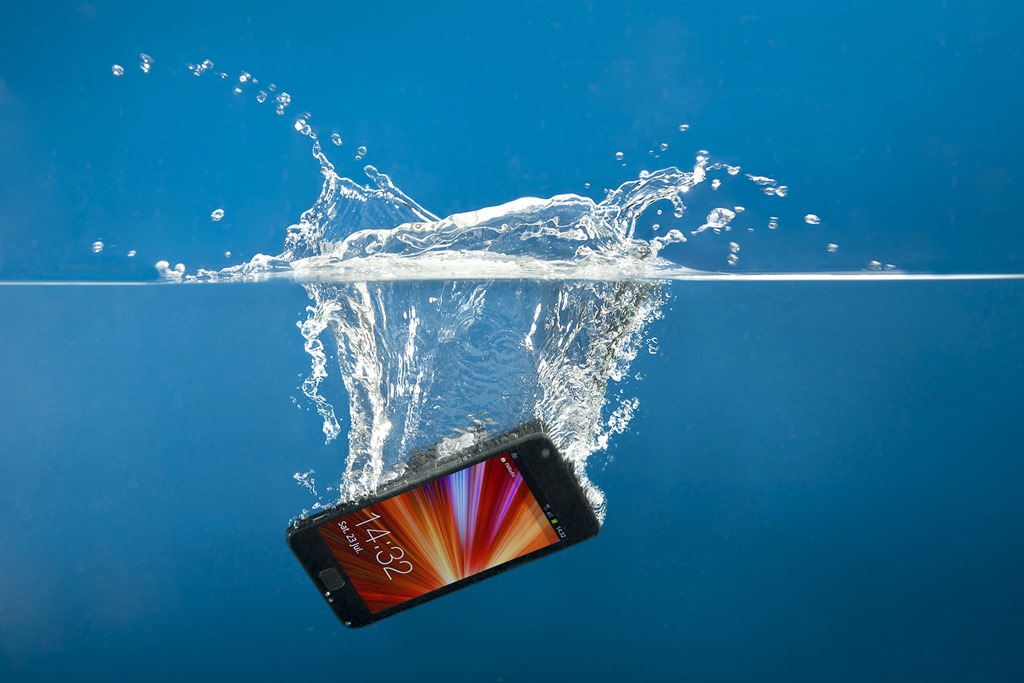
    No matter how much you bought your phone, seeing it get damaged is not a pleasing moment at all – even if it’s just a slight crack on the screen. One of the frustrating situations is when your phone falls into the water – either in the toilet or in a pool of water. You may feel terrified and tense at the same time to the extent of not knowing what to do.

    In case your device does take a plunge, here are tips for getting water out of your phone that you’ll need to know. 

    1. Immediate Action (First 60 Seconds)

    • Retrieve it instantly: Every second submerged increases the chance of water reaching the motherboard.
    • Power it OFF: If it’s on, shut it down immediately. If it’s already off, do not try to turn it on to see if it works. Electricity + Water = Short Circuit.
    • Remove the Case: Cases trap moisture against the device’s seams.
    • Eject the SIM Tray: Remove the SIM card and any microSD cards. This creates a small “vent” for air to circulate.

    2. The “Do Not” List (Common Mistakes)

    • ❌ DO NOT use Rice: Rice is inefficient at pulling moisture from inside a sealed phone. Worse, rice dust and starch can enter ports and turn into a “gunk” that corrodes components or jams the charging port.
    • ❌ DO NOT use a Hairdryer: High heat can melt internal adhesives and damage the screen. Forced air also pushes water deeper into the device.
    • ❌ DO NOT Shake it: Shaking can move water droplets from safe areas (like the speaker grill) onto sensitive internal chips.
    • ❌ DO NOT Charge it: Never plug a wet phone into a wall or portable charger.

    3. Proper Drying Technique

    • Wipe the Exterior: Use a lint-free or microfiber cloth to dab (not rub) the device dry.
    • Gravity Drain: Hold the phone with the charging port facing down and give it a few gentle taps against your palm to encourage water to drip out.
    • The Best Desiccant: If you have Silica Gel packets (the “Do Not Eat” packets found in shoe boxes or electronics), place the phone in a sealed container with as many of them as possible.
    • Airflow: If you don’t have silica gel, place the phone in a dry area with a fan blowing cool air across the ports.

    4. The 48-Hour Rule

    Wait at least 24 to 48 hours before attempting to power the device back on. Even if the screen looks dry, moisture often remains under the chips.

    When to See a Professional

    If your phone was dropped in Salt Water, Chlorinated Pool Water, or Sugary Drinks, the corrosion risk is much higher. In these cases, it is best to take it to a repair shop immediately for an “ultrasonic cleaning,” where they submerge the board in a specialized solution to strip away minerals before they eat the circuits.

    Share this:

    • Share on Facebook (Opens in new window) Facebook
    • Share on X (Opens in new window) X
    Share. Facebook Twitter Pinterest LinkedIn Tumblr Email
    Amos

    Related Posts

    How to Identify Genuine Tecno Phone Parts

    March 2, 2026

    How to Create Rules in Gmail

    March 2, 2026

    How to Save Live Photos as a Video on Your iPhone

    March 1, 2026
    Add A Comment
    Leave A Reply Cancel Reply

    Editors Picks
    8.5

    Apple Planning Big Mac Redesign and Half-Sized Old Mac

    January 5, 2021

    Autonomous Driving Startup Attracts Chinese Investor

    January 5, 2021

    Onboard Cameras Allow Disabled Quadcopters to Fly

    January 5, 2021
    Top Reviews
    9.1

    Review: T-Mobile Winning 5G Race Around the World

    By Amos
    8.9

    Samsung Galaxy S21 Ultra Review: the New King of Android Phones

    By Amos
    8.9

    Xiaomi Mi 10: New Variant with Snapdragon 870 Review

    By Amos
    Advertisement
    Demo
    Facebook X (Twitter) Instagram
    • Home
    • Tech
    • Mobiles
    • How to
    © 2026 Techdirvers Designed by Codelabpros.

    Type above and press Enter to search. Press Esc to cancel.

    Powered by
    ►
    Necessary cookies enable essential site features like secure log-ins and consent preference adjustments. They do not store personal data.
    None
    ►
    Functional cookies support features like content sharing on social media, collecting feedback, and enabling third-party tools.
    None
    ►
    Analytical cookies track visitor interactions, providing insights on metrics like visitor count, bounce rate, and traffic sources.
    None
    ►
    Advertisement cookies deliver personalized ads based on your previous visits and analyze the effectiveness of ad campaigns.
    None
    ►
    Unclassified cookies are cookies that we are in the process of classifying, together with the providers of individual cookies.
    None
    Powered by